If you don’t want to spend time designing a weight log, our free Weight Tracker Template is ready to use.
Download it in Google Sheets, Excel, or PDF and start recording your weight changes in a clear, structured way.
What Is a Weight Tracker Template?
A weight tracker template is a structured tool used to log and monitor body weight over time, helping individuals stay accountable to their health and fitness goals.
By visualizing progress through charts or tables, a weight tracker template makes it easy to identify trends, celebrate milestones, and make informed adjustments to one’s wellness routine.
Download Spreadsheet Daddy’s Free Weight Tracker Template
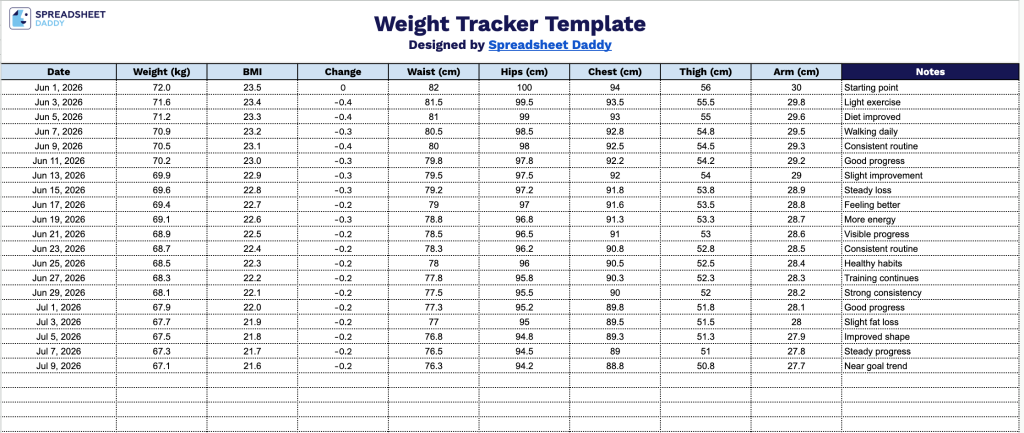
Our Weight Tracker Template helps you log and monitor your body measurements over time, giving you a clear picture of your progress toward your health goals.
What’s included
- Comprehensive body measurement columns: The tracker includes dedicated columns for Weight, BMI, Change, Waist, Hips, Chest, Thigh, and Arm, giving you a full-body snapshot at every weigh-in rather than just a single number on the scale.
- Automatic change tracking column: A dedicated “Change” column is designed to automatically calculate and display the difference between entries so you can instantly see whether you’re progressing, plateauing, or fluctuating over time.
- Notes column for context and commentary: The final column provides a free-text field to log relevant details, such as workouts completed, dietary changes, illness, or other factors that may have influenced that day’s measurements.
You can add or remove columns as needed to tailor it to the metrics that matter most to you.
Download a free blank template below in your preferred format to start tracking your weight with ease:
How to Use Our Weight Tracker Template
1. Save the Weight Tracker template in Excel or PDF format, or open it directly in Google Sheets.
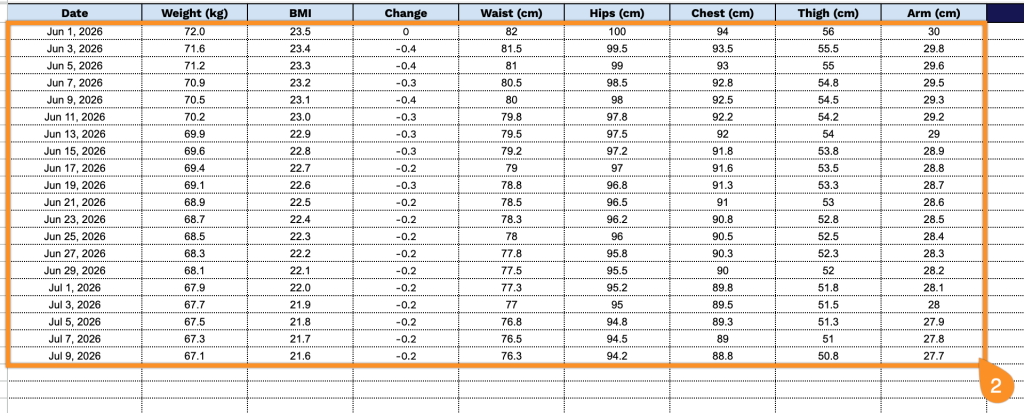
2. For every measurement entry, record the date along with your weight, BMI, waist, hips, chest, thigh, and arm measurements. The template will automatically calculate how your weight changes between each entry, so you can easily track your progress over time.
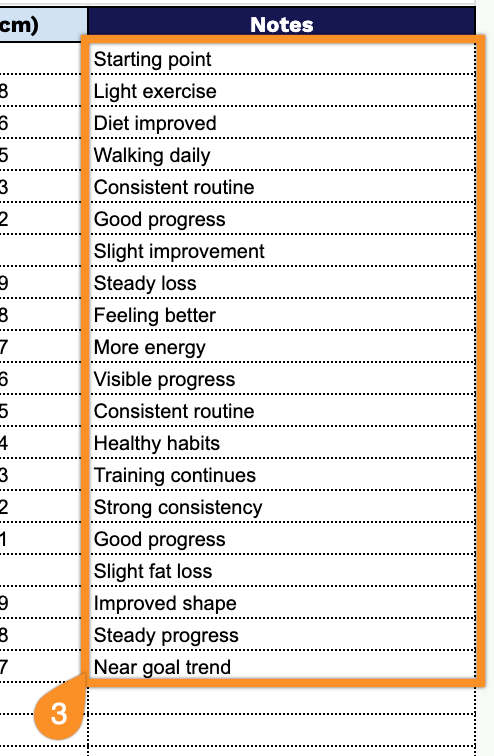
3. Use the Notes section to record anything that may affect your results, such as changes in diet, workouts, travel, unusual fluctuations, or reminders for upcoming fitness goals.