

Tracking donations at year-end doesn’t have to be complicated.
Our free, editable Year-End Donation Receipt Template works in Excel, Google Sheets, Word, and PDF, making it easy to record contributions and provide donors with a polished receipt. Perfect for nonprofits, schools, or community organizations.
For more flexibility, explore our full collection of free, customizable receipt templates to suit all your documentation needs.
What Is a Year-End Donation Receipt Template?
A year-end donation receipt template is a standardized document that nonprofit organizations use to acknowledge charitable contributions made during a calendar year formally.
These templates help nonprofits efficiently process and document donations while ensuring compliance with IRS requirements for tax-deductible charitable giving.
Download Spreadsheet Daddy’s Free Year-End Donation Receipt Template
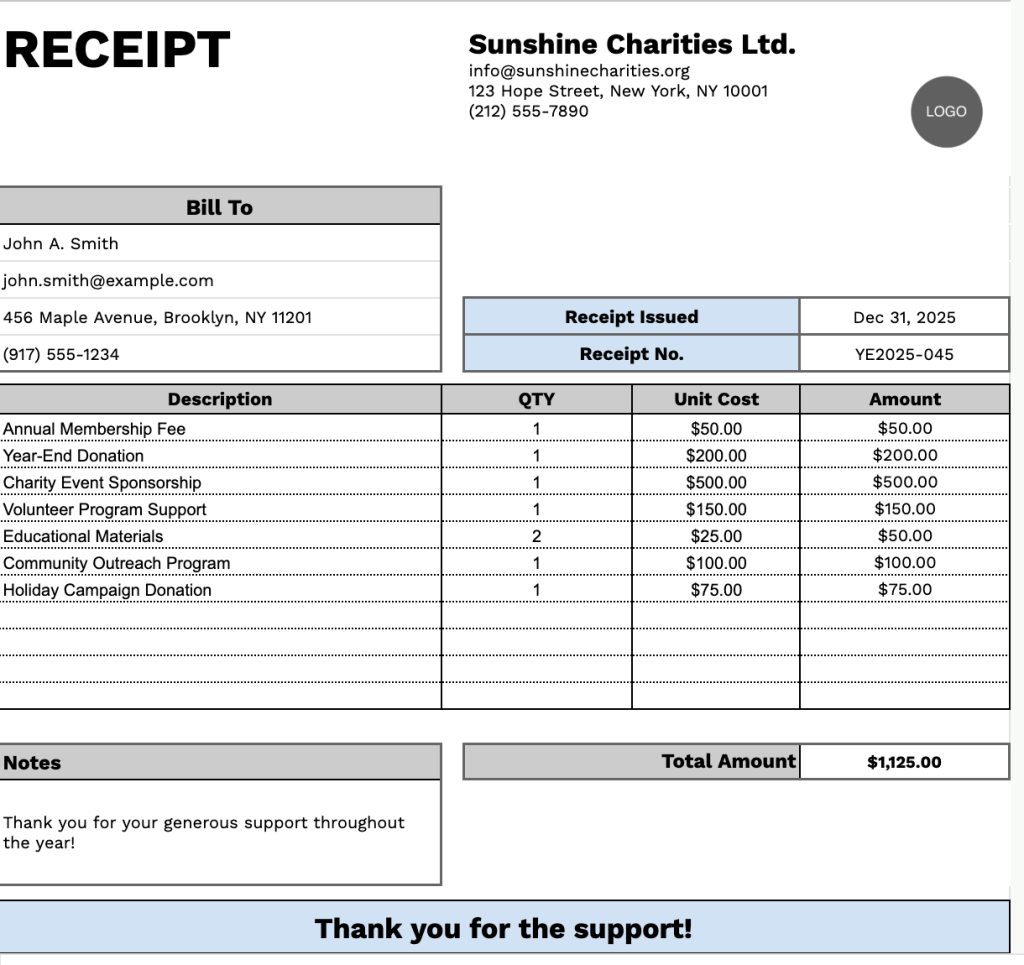
Our Year-End Donation Receipt Template provides a professional format for documenting charitable contributions throughout the year.
What’s included
- Customizable business information fields: The header section includes editable placeholders for company name, email address, physical address, and phone number, allowing you to quickly brand the receipt with your organization’s details for professional documentation.
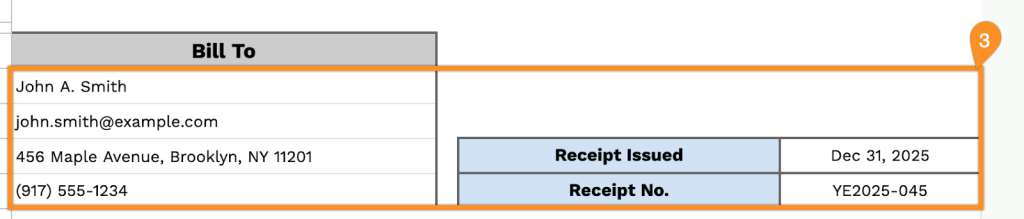
- Donor billing information section: A dedicated “Bill To” area captures essential donor details, including name, email, address, and phone number, ensuring complete record-keeping and providing all necessary contact information for tax purposes and future communications.
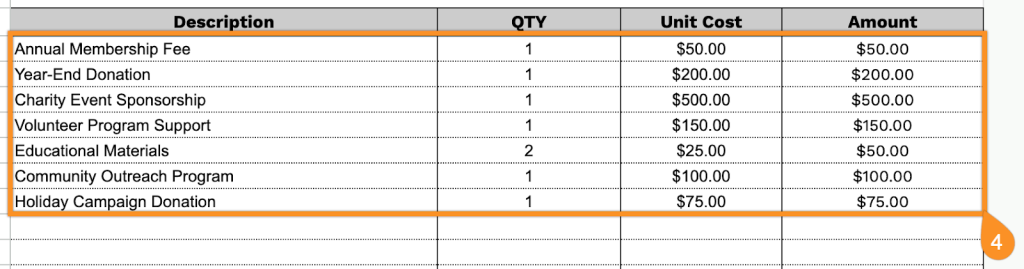
- Itemized donation tracking table: A table with four columns (Description, QTY, Unit Cost, Amount) enables detailed logging of multiple donations or items, with each row calculating individual amounts based on quantity and unit cost for transparent financial documentation.
- Automatic total calculation field: The bottom of the receipt includes a “Total Amount” field that aggregates all itemized donations, providing a clear summary of the donor’s total contribution, along with a dedicated notes section for tax-deductibility statements or special acknowledgments.
- Receipt identification system: Built-in fields for “Receipt Issued” date and “Receipt No.” allow for proper tracking and organization of donation records, making it easy to reference specific transactions and maintain compliant financial records for year-end reporting.
You can customize the template by adding or removing columns to match your organization’s specific tracking needs.
Use the links below to get your free year-end donation receipt template in the format that works best for you:
How to Use Our Year-End Donation Receipt Template
1. Download our Excel, Word, or PDF year-end donation receipt template, or create a personal copy in Google Docs or Sheets.
2. Enter your organization’s information at the top, including name, email, address, phone number, and logo.

3. Fill in the donor’s information under “Bill To,” along with the receipt issue date and receipt number.
4. List the donated items or contributions, including quantity and value for each. The template will automatically calculate the line totals.
5. The total donation amount is calculated automatically for your convenience.

6. Use the Notes section to include any additional details or acknowledgments relevant to the donation.

