Planning your wedding day is easier with a ready-made timeline template.
Download our free Wedding Timeline Template in Google Sheets, Excel, and PDF formats to organize your schedule, manage event details, and ensure every part of your special day runs smoothly.
What Is a Wedding Timeline Template?
A wedding timeline template is a structured planning document that outlines every event and activity scheduled for a wedding day, from early-morning preparations to the final send-off.
By mapping out time blocks for key moments, a wedding timeline template helps prevent scheduling conflicts and allows couples to enjoy their special day stress-free.
Download Spreadsheet Daddy’s Free Wedding Timeline Template
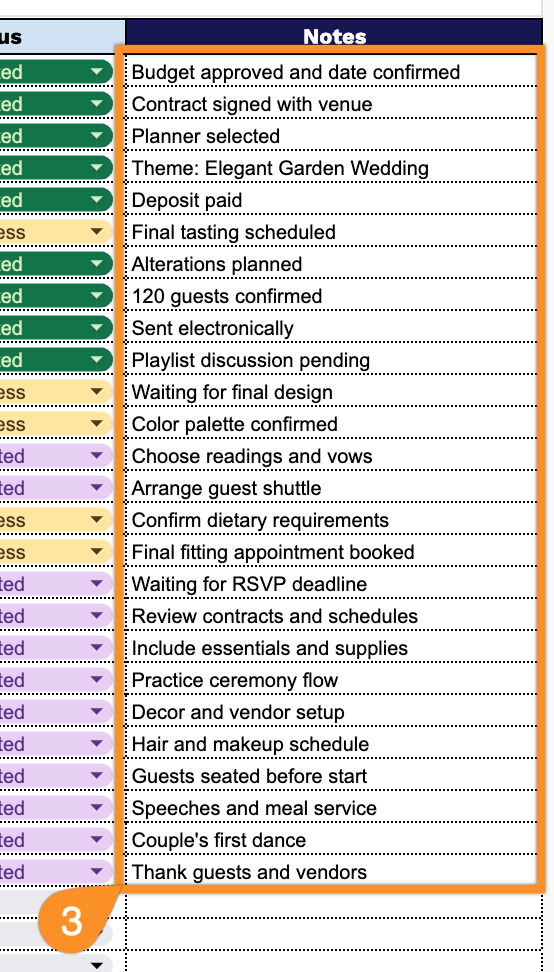
Our Wedding Timeline Template helps couples plan every step of their big day, from the twelve-month countdown through post-wedding thank-yous.
What’s included
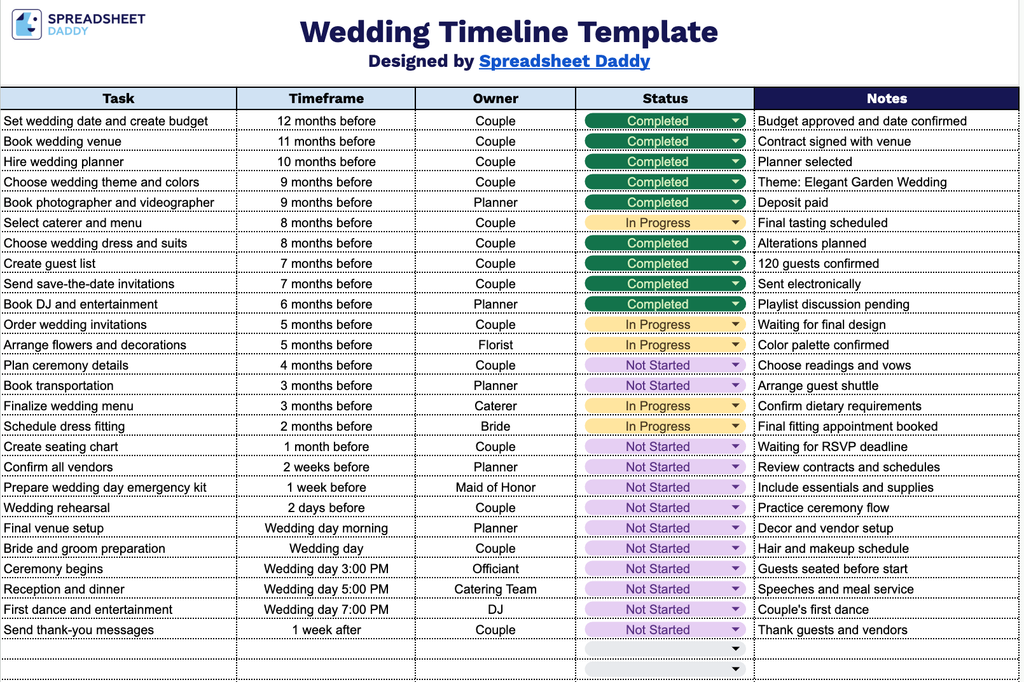
- Five-column task-tracking layout: The main table includes editable columns for Task, Timeframe, Owner, Status, and Notes, giving you a structured way to log every wedding-planning item, along with who’s responsible, when it’s due, and its current progress.
- Task column for itemized planning steps: This column lets you break down every to-do involved in planning the wedding, from vendor bookings to day-of logistics, so nothing gets overlooked.
- Timeframe column for scheduling deadlines: Assign specific dates, weeks, or months to each task so you can track what needs to happen and by when throughout the planning process.
- Owner column for accountability: Designate who is responsible for each task, whether that’s the couple, a planner, a family member, or a vendor, ensuring clear ownership across the whole timeline.
- Status and Notes columns for progress tracking: Mark each task as complete, in progress, or pending, and use the Notes column to record additional details, reminders, or follow-up information as needed.
Feel free to add or remove columns as needed to fit your own wedding planning process.
Get your free wedding timeline template by choosing the format you need from the download options below:
How to Use Our Wedding Timeline Template
1. Download the ready-made Wedding Timeline template in Excel or PDF, or create a personal Google Sheets copy to organize every event detail.
2. Record wedding planning tasks, key dates, assigned vendors or team members, and their current status for easy tracking.
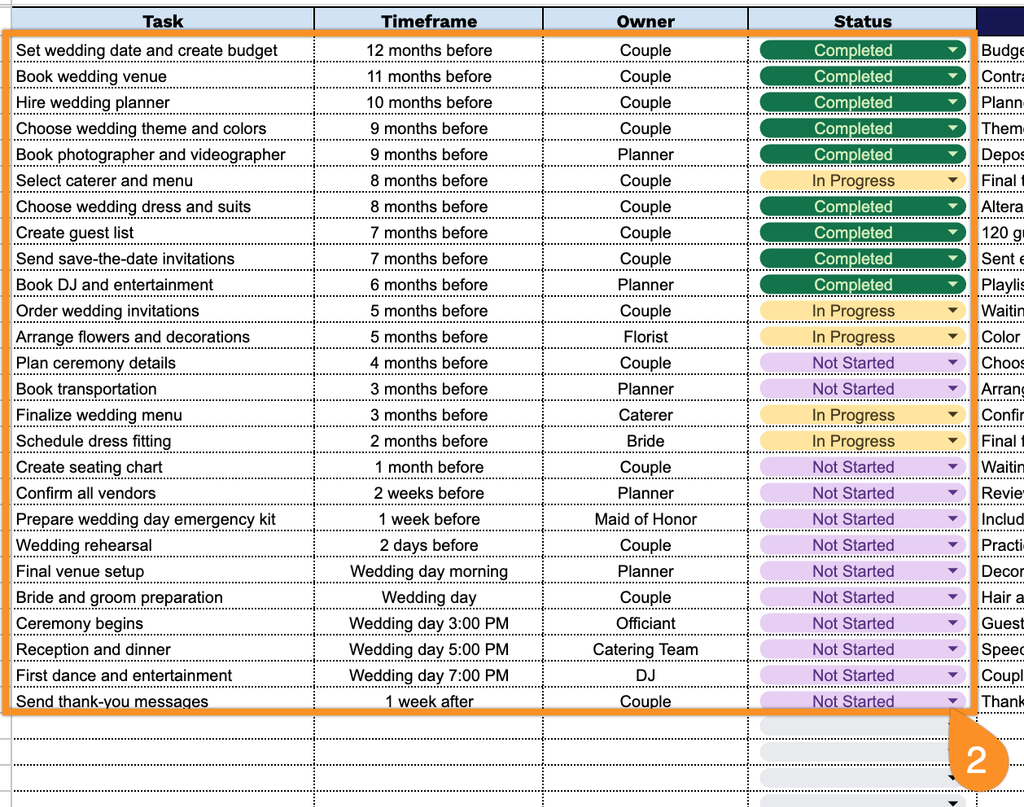
3. Use the Notes section to include important reminders, special instructions, vendor details, or any additional information needed to keep the wedding day running smoothly.