Looking for an easier way to stay organized while managing nonprofit grants?
Use our free Nonprofit Grant Tracker Template in Google Sheets, Excel, or PDF.
You can quickly customize it to track grantors, application dates, funding amounts, deadlines, statuses, and other essential grant information.
What Is a Nonprofit Grant Tracker Template?
A nonprofit grant tracker template is a structured organizational tool that helps nonprofits record and manage all of their grant opportunities, applications, and funding deadlines in one centralized place.
By streamlining the grant management process, the template helps nonprofit teams stay on top of deadlines, reduce administrative errors, and ensure timely compliance with funder reporting obligations.
Download Spreadsheet Daddy’s Free Nonprofit Grant Tracker Template
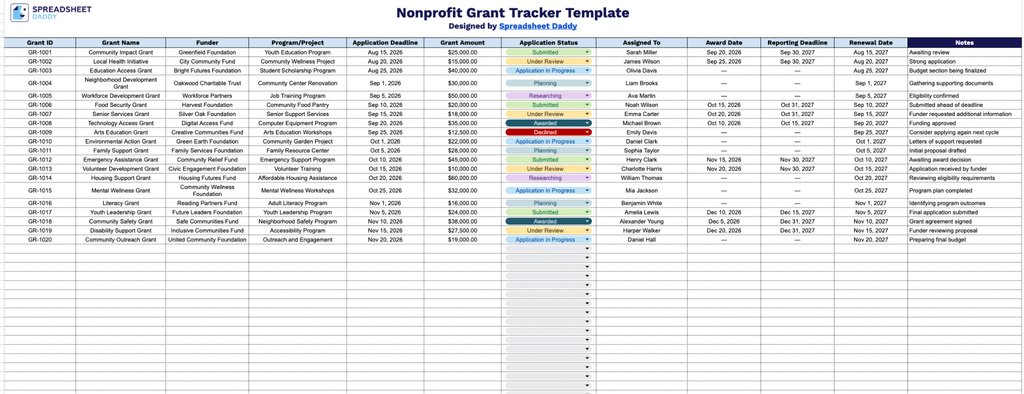
Our Nonprofit Grant Tracker Template gives you a clear, organized way to monitor every grant from application through award and renewal, so nothing slips through the cracks.
What’s included
- Comprehensive grant identification fields: The Grant ID, Grant Name, Funder, and Program/Project columns let you log every grant application by a unique reference number, its title, the funding organization, and the specific program or project it supports, making it easy to organize and search your full grant portfolio at a glance.
- Key date-tracking columns: The Application Deadline, Award Date, Reporting Deadline, and Renewal Date columns keep all critical dates in one place, helping your team stay ahead of submission windows, funder reporting requirements, and renewal opportunities without missing a deadline.
- Financial and status monitoring: The Grant Amount and Application Status columns allow you to record each grant’s dollar amount and track its progress (e.g., Submitted, Pending, Awarded, Declined), providing a real-time snapshot of your organization’s funding pipeline.
- Team accountability field: The Assigned To column designates a specific staff member or team responsible for each grant, ensuring clear ownership and accountability throughout the application and reporting process.
You can add or remove columns at any time to fit your organization’s specific tracking needs.
Get your free Nonprofit Grant Tracker by selecting the file format you prefer from the download options below:
How to Use Our Nonprofit Grant Tracker Template
1. Download the template as an Excel or PDF file, or duplicate it in Google Sheets to create your own tracker.
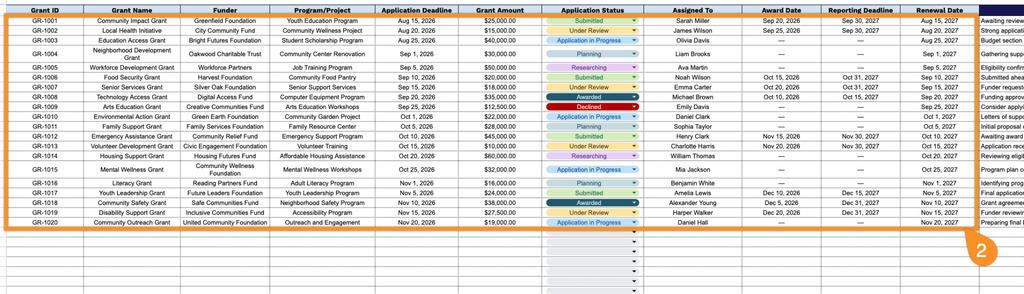
2. Enter key grant details, including the grant ID, grant name, funder, program or project, application deadline, requested amount, application status, assigned team member, award date, reporting deadline, and renewal date.
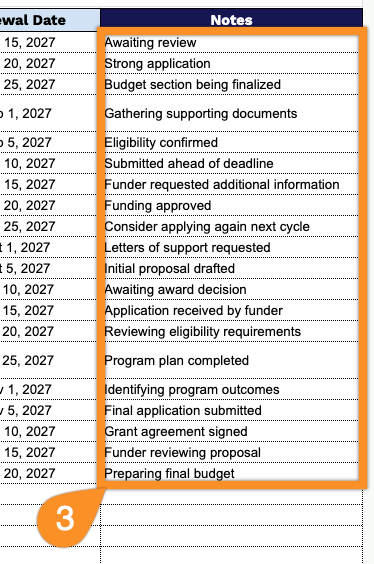
3. Use the Notes section to add important information, follow-up reminders, reporting requirements, or other details related to each grant.