Looking for a clean, professional receipt for auto repair services?
Our free Auto Repair Receipt Template is compatible with Excel, Google Sheets, Word, Google Docs, and PDF. It’s easy to edit and perfect for detailing repairs, labor, parts, and total costs for your customers.
Looking for more options? Check out our complete collection of free, editable receipt templates to handle all your service documentation needs.
What Is an Auto Repair Receipt Template?
An auto repair receipt template is a pre-formatted document that mechanics and auto repair shops use to provide customers with a detailed record of services performed and parts replaced on their vehicle.
This standardized format helps ensure all necessary information is captured consistently while serving as proof of payment and a reference for warranty claims or future maintenance needs.
Download Spreadsheet Daddy’s Free Auto Repair Receipt Template
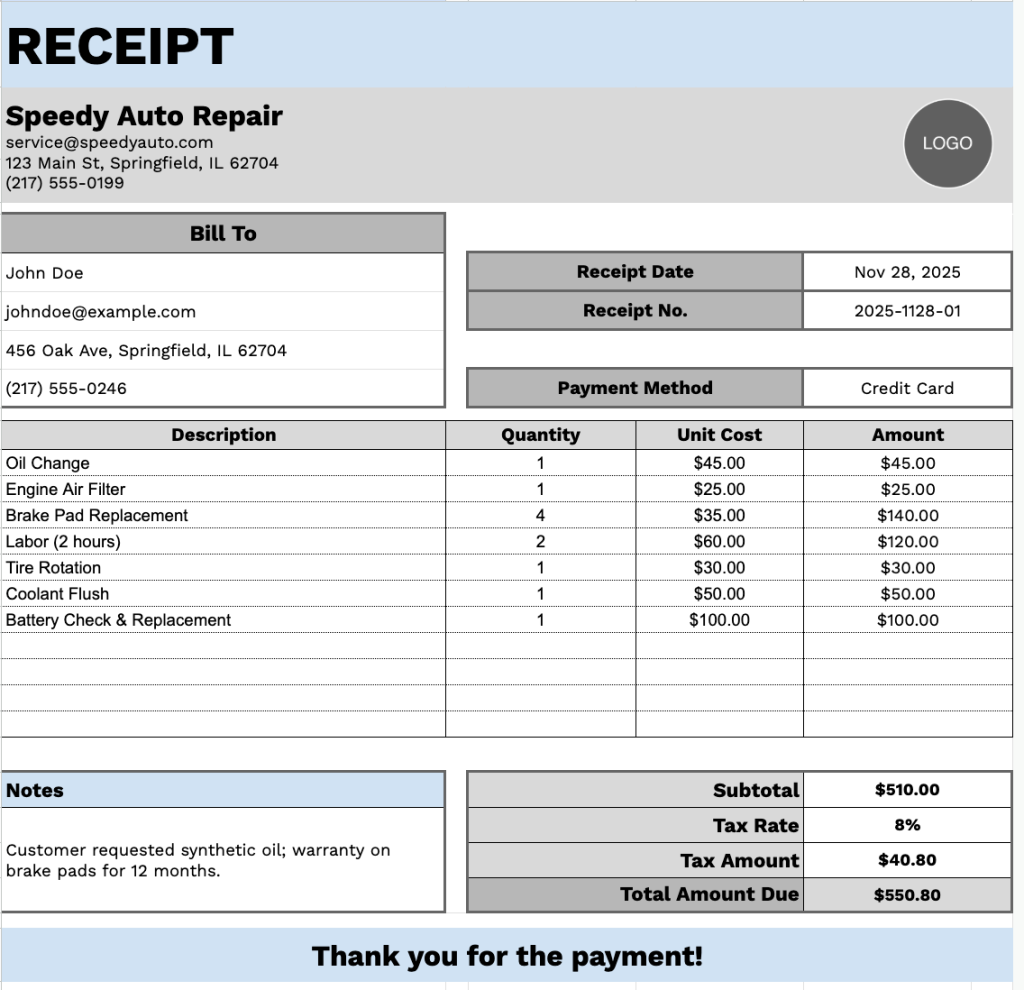
Our Auto Repair Receipt Template provides a clear and professional format for documenting vehicle service transactions.
What’s included
- Customizable business information fields: The header section includes editable placeholders for company name, email address, physical address, and phone number, allowing you to quickly brand the receipt with your auto repair shop or business details for professional documentation.
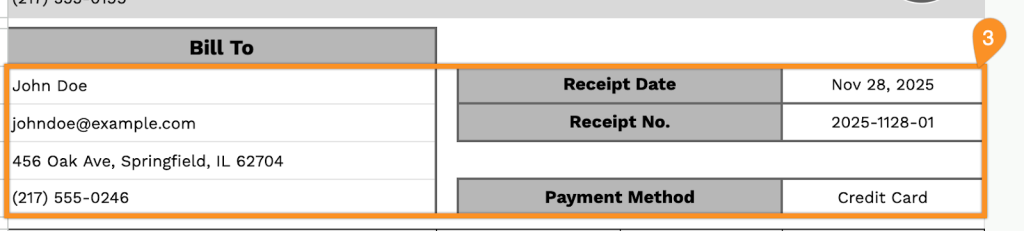
- Comprehensive customer billing section: Dedicated “Bill To” area with fields for customer name, email, address, and phone number, plus receipt date, receipt number, and payment method tracking to maintain complete transaction records and customer contact information.
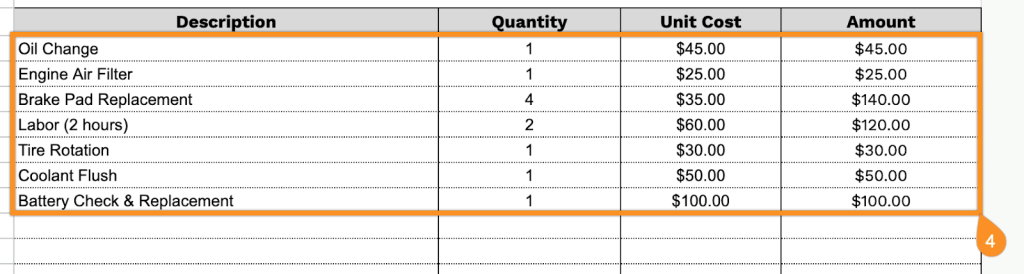
- Detailed itemized service table: Four-column layout (Description, Quantity, Unit Cost, Amount) with pre-formatted rows for listing multiple repair services, replacement parts, labor charges, and miscellaneous fees, with each row displaying individual line-item totals for transparent pricing.
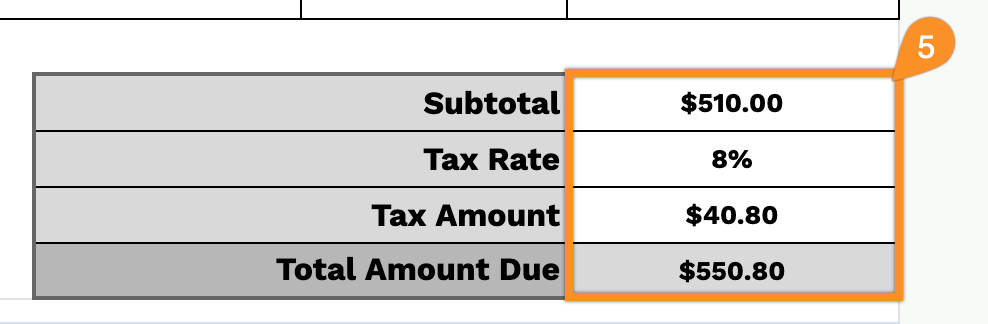
- Automatic calculation summary: Bottom-right financial section that displays the subtotal of all services, a customizable tax rate field, calculated tax amount, and final total amount due, providing a clear cost breakdown and eliminating manual math errors.
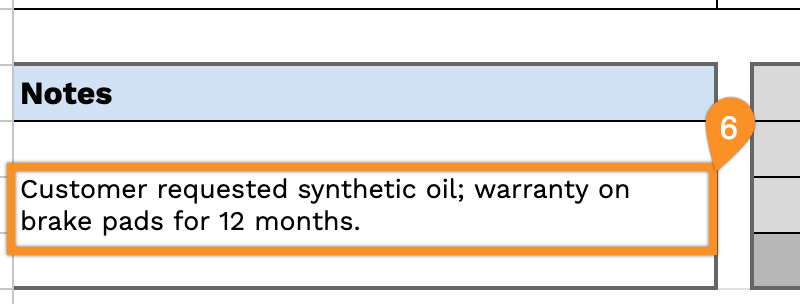
- Notes section and customer appreciation message: Flexible notes field at the bottom for adding warranty details, service recommendations, payment terms, or special instructions, followed by a professional “Thank you for the payment!” closing statement to enhance customer experience.
Adjust the template by adding or removing columns to match your specific business needs.
Grab your free auto repair receipt template in the format that works best for you from the links below:
How to Use Our Auto Repair Receipt Template
1. Get this auto repair receipt template in Excel, Word, or PDF, or make your own copy using Google Sheets or Docs.
2. At the top, add your company information: name, email, address, phone number, and your logo.

3. Fill in the customer’s details in the “Bill To” section, along with the receipt date, receipt number, and payment method.
4. List all parts, labor, or services provided. Enter the quantity and price for each item, and the template will automatically calculate the line totals.
5. Add the applicable tax rate, and the template will calculate the subtotal, tax, and total amount due.
6. Use the Notes section for any important details, such as warranty information, special instructions, or service recommendations.