Tired of juggling homework on scraps of paper?
Download our professionally designed Homework Tracker Template for Google Sheets, Excel, or PDF.
It’s fully editable and perfect for keeping all your assignments and deadlines in one place.
What Is a Homework Tracker Template?
A homework tracker template is a pre-designed organizational tool that helps students record, monitor, and manage their academic assignments and due dates in one centralized location.
These templates can be digital spreadsheets, printable PDFs, or app-based formats that promote better time management and accountability for schoolwork.
Download Spreadsheet Daddy’s Free Homework Tracker Template
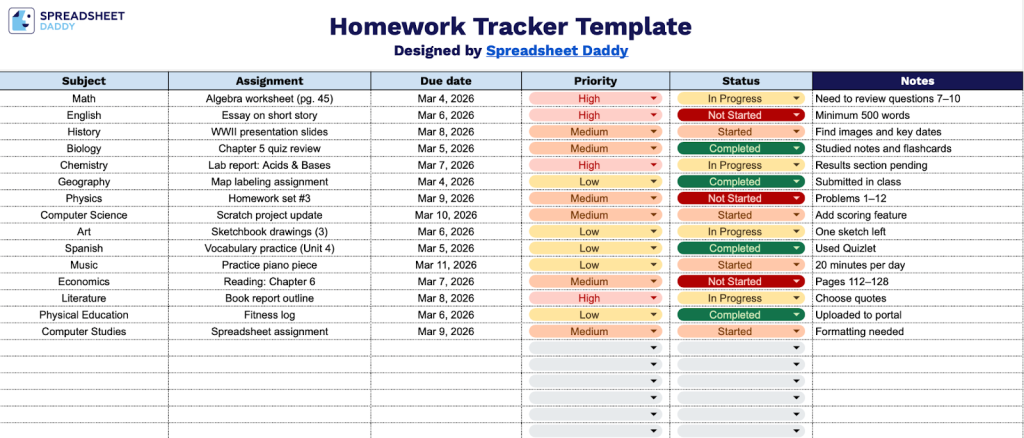
Our Homework Tracker Template helps students organize their assignments, deadlines, and progress in one convenient place.
What’s included
- Comprehensive subject organization system: The template features a dedicated Subject column that allows students to categorize assignments by class or academic discipline, making it easy to view workload distribution across all courses and identify which subjects require the most attention at any given time.
- Assignment tracking with detailed descriptions: Each row includes an Assignment field where students can record specific homework tasks, projects, or study requirements, providing a precise reference point for what needs to be accomplished and eliminating confusion about task details.
- Due date management column: The template includes a Due Date field that lets students chronologically organize their workload, helping them visualize upcoming deadlines and prioritize time-sensitive assignments to avoid last-minute rushes or missed submissions.
- Priority level indicator: A Priority column allows students to assign importance levels to each assignment (such as high, medium, or low), enabling strategic focus on the most critical tasks first and ensuring that high-stakes projects receive appropriate attention and planning time.
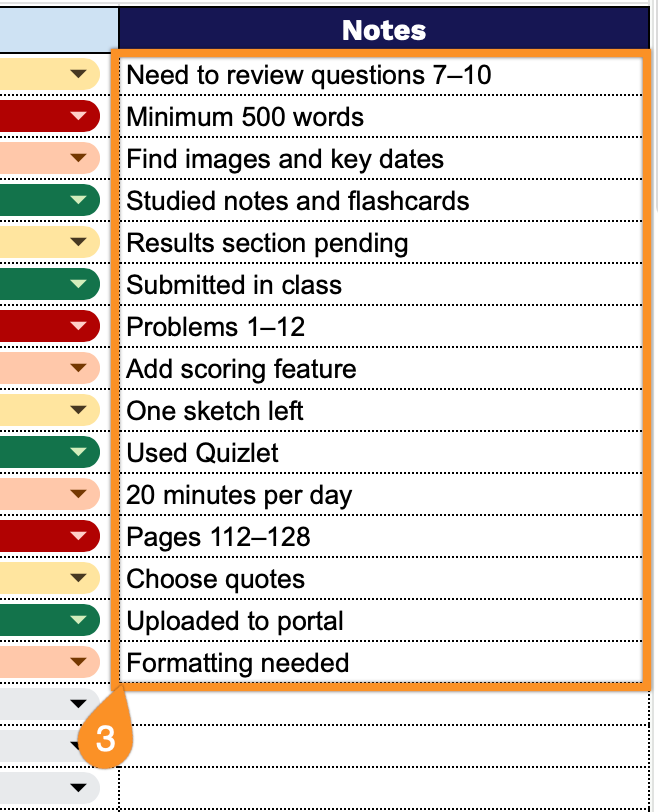
- Status tracking and notes system: The template includes both a Status column for marking assignment progress (e.g., not started, in progress, or completed) and a Notes field for recording additional information, such as page numbers, special requirements, or submission instructions, providing comprehensive task management in a single, organized view.
You can easily customize it by adding or removing columns to match your specific needs and study habits.
Choose your preferred format below and download a free homework tracker to keep all your assignments in order:
How to Use Our Homework Tracker Template
1. Download the template for Excel or PDF, or instantly create a personal Google Sheets version.
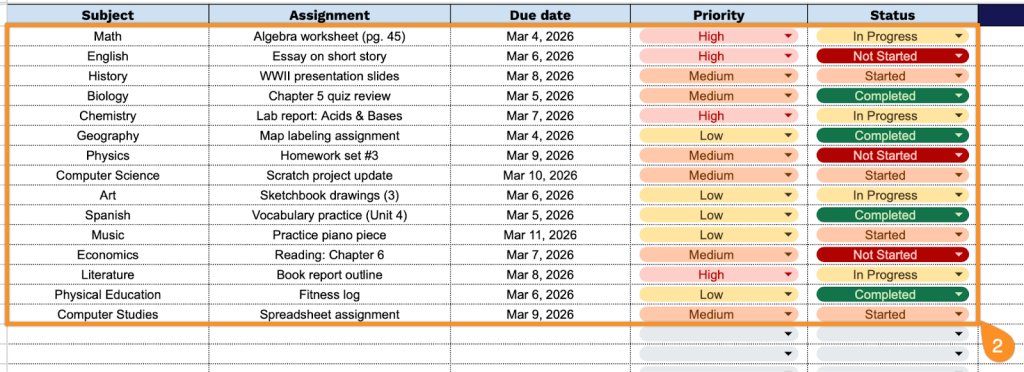
2. Complete the columns by entering all essential homework information:
- Subject: Enter the academic subject or course name for which the assignment is given.
- Assignment: Specify the complete assignment name and description of the task or project.
- Due Date: Record the deadline by which the assignment must be submitted or completed.
- Priority: Indicate the assignment’s importance level (High, Medium, Low) based on grade weight or urgency.
- Status: Track the current progress of the assignment (Not Started, In Progress, Completed, Submitted, etc.).
3. Use the Notes section for essential details, reminders, or extra instructions.