If you are looking for a simple way to manage employee hours, try our free Bi-Weekly Timesheet Template.
Available in Google Sheets, Excel, and PDF, it helps you organize work schedules, calculate totals, and maintain consistent, accurate payroll records.
What Is a Bi-Weekly Timesheet Template?
A bi-weekly timesheet template is a pre-formatted document used to track employee work hours over two weeks.
These templates streamline time tracking by providing a consistent, reusable format that can be customized for different industries or company needs.
Download Spreadsheet Daddy’s Free Bi-Weekly Timesheet Template
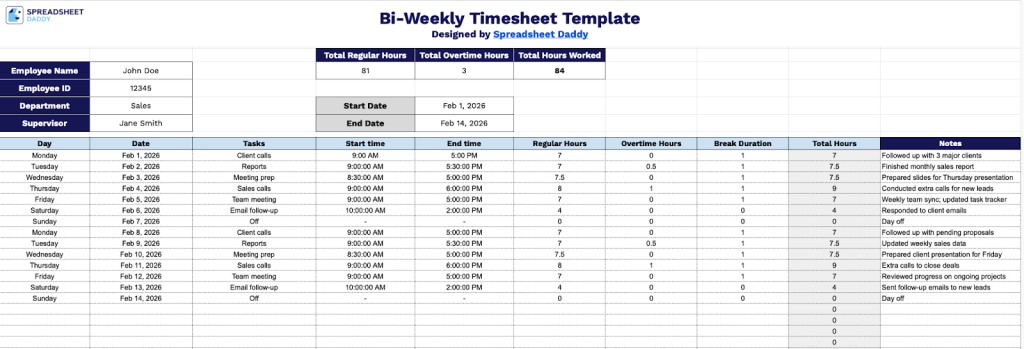
Our Bi-Weekly Timesheet Template provides a comprehensive framework for tracking employee work hours over two weeks.
What’s included
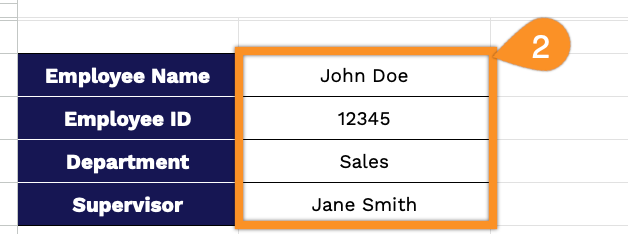
- Employee information section: The header contains dedicated fields for Employee Name, Employee ID, Department, and Supervisor, along with Start Date and End Date fields to clearly define the pay period being tracked, ensuring proper identification and accountability for each timesheet submission.
- Comprehensive daily time tracking grid: The main table features rows for detailed daily entries, with columns for Day, Date, Tasks, Start time, End time, Regular Hours, Overtime Hours, Break Duration, Total Hours, and Notes, enabling employees to document their work activities with precision across a full bi-weekly period.
- Automatic hours calculation summary: The top-right summary section displays three key metrics, including Total Regular Hours, Total Overtime Hours, and Total Hours Worked, providing an at-a-glance overview of labor hours for payroll processing and labor cost management.
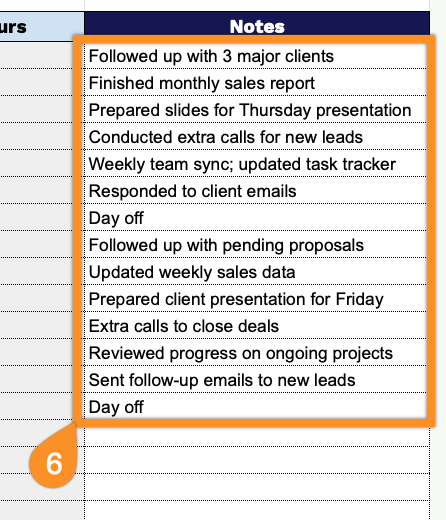
- Flexible task and notes documentation: Each daily row includes a Tasks column for describing work performed and a Notes column for adding context, such as project codes, client names, or special circumstances, to support detailed job costing and project management needs.
The template is fully customizable, allowing you to add or remove columns based on your specific tracking requirements.
Access your complimentary blank Bi-Weekly Timesheet by selecting your preferred file format from the options below:
How to Use Our Bi-Weekly Timesheet Template
1. Pick up the template in Excel or PDF format, or make a personal version in Google Sheets.
2. Enter the employee’s name, ID, department, and supervisor.
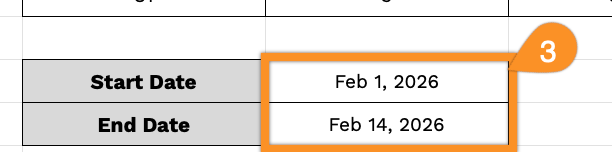
3. Add the start and end dates for the pay period you’re tracking.
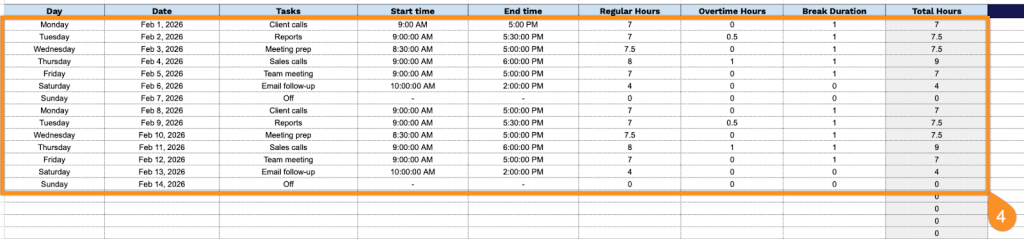
4. Complete the columns by filling in the daily work information for each row in the template:
- Day: Enter the day of the week (Monday, Tuesday, Wednesday, etc.) for each work entry.
- Date: Record the specific calendar date corresponding to each workday.
- Tasks: Describe the primary activities, projects, or assignments completed during that day.
- Start Time: Specify when you began work today.
- End Time: Specify when you finished work for the day.
- Regular Hours: Enter the number of standard work hours completed within normal business hours.
- Overtime Hours: Record any hours worked beyond your regular schedule that qualify for overtime pay.
- Break Duration: Include the total time spent on breaks throughout the day (lunch, rest periods, etc.).
- Total Hours: This field calculates automatically by combining regular and overtime hours.
5. The totals at the top, including regular hours, overtime hours, and total hours worked, will automatically update as you fill in the timesheet below.

6. Use the Notes section to record important details such as remote work, shift changes, or any unusual circumstances affecting your working hours.