Keep project updates organized with our free Change Log Template, available in Google Sheets, Excel, and PDF.
Instead of creating a tracking sheet from scratch, you can quickly customize the template to document changes, update dates, descriptions, and other key information in one convenient place.
What Is a Change Log Template?
A change log template is a structured document used to systematically record and track all modifications, updates, and revisions made to a project, software application, or system over time.
By standardizing how changes are documented, a change log template helps teams maintain transparency, improve communication, and gives users or stakeholders a reliable reference for understanding what has changed and why.
Download Spreadsheet Daddy’s Free Change Log Template
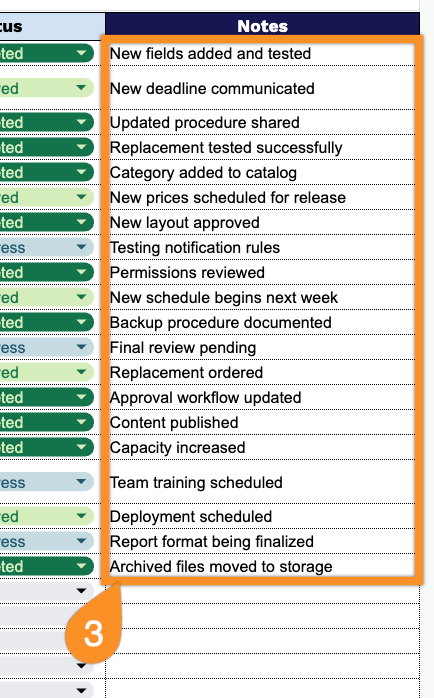
Our Change Log Template provides a simple, organized way to track changes to your projects, systems, or processes from request through completion.
You can add or remove columns to match the way your team works.
What’s included
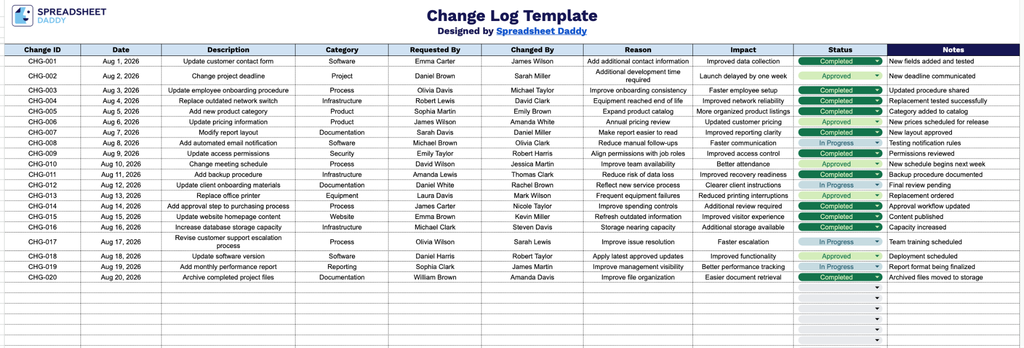
- Ten-column tracking structure: The table spans Change ID, Date, Description, Category, Requested By, Changed By, Reason, Impact, and Status, plus a dedicated Notes column, providing a complete record of every change from initiation through resolution without adding extra columns.
- Accountability fields built in: Separate “Requested By” and “Changed By” columns let you track who initiated a change request versus who actually implemented it, creating a clear audit trail for approvals and execution across your team.
- Change categorization field: The Category column lets you classify each entry (e.g., scope, budget, schedule, technical) so you can quickly filter or review changes by type when analyzing trends or reporting to stakeholders.
- Impact and status tracking columns: Dedicated fields for Impact and Status let you document how each change affects the project, product, or system, and where it currently stands (e.g., pending, approved, completed), so stakeholders can assess risk and progress at a glance.
- Reason and Notes fields for context: The Reason column captures the justification behind each change, while the Notes column provides extra space for follow-up details, dependencies, or clarifications, ensuring nothing important gets lost in the log.
Pick your preferred format below and download the free Change Log template:
How to Use Our Change Log Template
1. Download the Change Log template as an Excel or PDF file, or make your own editable copy in Google Sheets.
2. Enter the key details for each change, including the change ID, date, description, category, requester, person responsible for making the change, reason, potential impact, and current status.
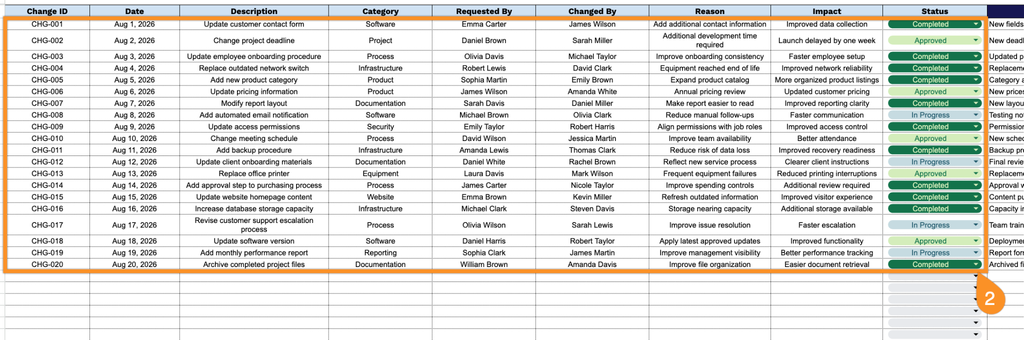
3. Use the Notes section to record any additional comments, follow-up actions, dependencies, or important information related to the change.