Stay on top of your finances with our free Credit Card Tracker Template.
Easily monitor your card balances, credit limits, APRs, and rewards all in one place.
Available in Google Sheets, Excel, and PDF, this fully editable template helps you manage multiple cards efficiently and keep your spending under control.
What Is a Credit Card Tracker Template?
A credit card tracker template is a structured tool that helps you monitor and organize information about all your credit cards in one place.
This centralized system makes it easier to stay on top of your spending, avoid exceeding credit limits, compare interest rates across cards, and strategically use rewards programs to maximize benefits.
Download Spreadsheet Daddy’s Free Credit Card Tracker Template
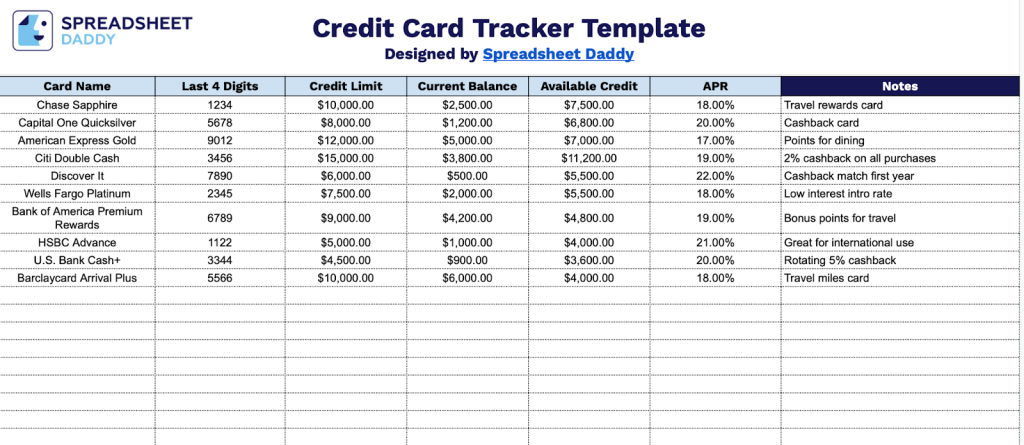
Our Credit Card Tracker Template helps you organize and monitor your credit cards in one convenient place.
What’s included
- Comprehensive card management columns: The tracker includes seven essential data fields to monitor each credit card, including Card Name, Last 4 Digits, Credit Limit, Current Balance, Available Credit, APR (Annual Percentage Rate), and a Notes section for additional details like rewards programs, promotional rates, or payment due dates.
- Credit utilization tracking: The template features dedicated columns for Credit Limit, Current Balance, and Available Credit, enabling you to monitor your credit utilization ratio at a glance and maintain optimal credit health by tracking how much of your available credit you’re using across all cards.
- Security-conscious design: Rather than storing full card numbers, the tracker uses a “Last 4 Digits” column to help you identify cards while maintaining security best practices, reducing the risk of sensitive information exposure if unauthorized parties access the document.
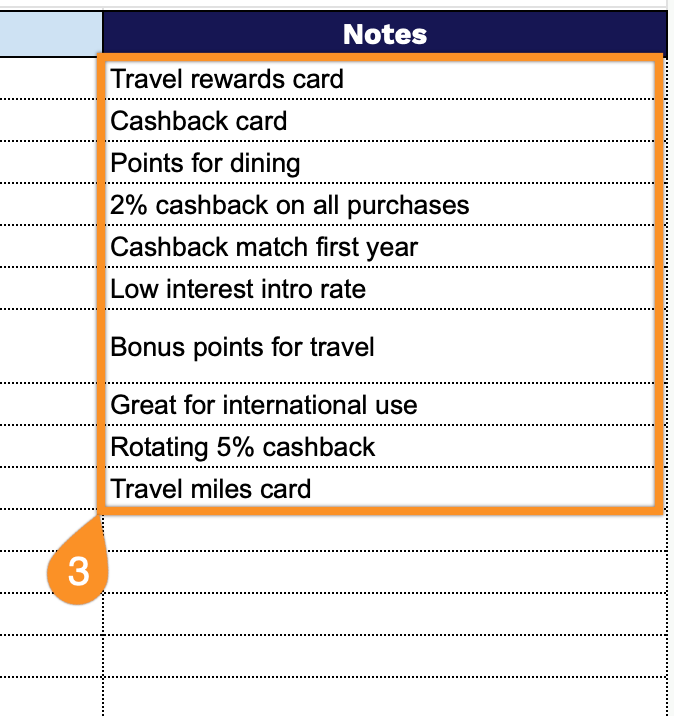
- Flexible notes field: A dedicated Notes column provides space to record card-specific information, such as annual fees, reward categories, bonus point opportunities, statement closing dates, autopay settings, and promotional APR expiration dates, for comprehensive card management.
- Clean, organized layout: The template features a simple, professional design with clearly labeled column headers and a structured row-based format that makes it easy to add, update, and compare information across multiple credit cards in one centralized location.
You can easily customize it by adding or removing columns to fit your specific tracking needs.
Select your preferred format from the links below to download a free Credit Card Tracker Template:
How to Use Our Credit Card Tracker Template
1. Save this template as an Excel or PDF document, or create a personal copy in Google Sheets.
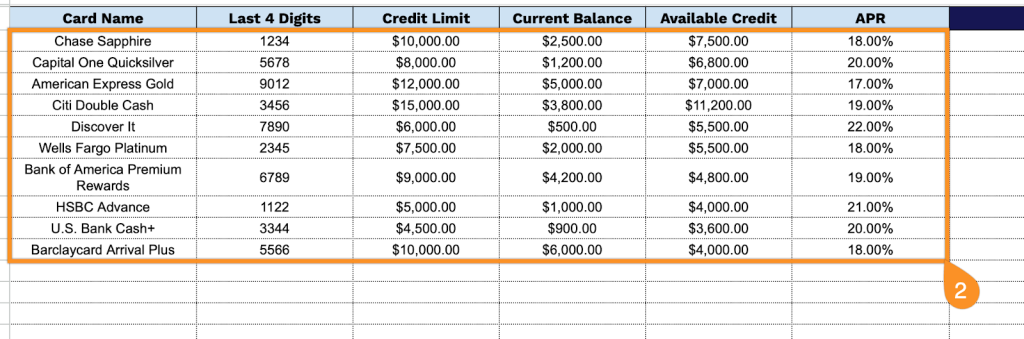
2. Complete the columns by entering all essential account information:
- Card Name: Enter the official name of the credit card as it appears on your statement (e.g., Chase Freedom, Capital One Venture).
- Last 4 Digits: Record the final four digits of the card number for easy identification while maintaining security.
- Credit Limit: Specify the maximum amount of credit extended by the card issuer.
- Current Balance: Document the total outstanding balance owed on the card at the time of tracking.
- Available Credit: Calculate or record the remaining credit available for use.
- APR: List the Annual Percentage Rate charged on outstanding balances for this card.
3. Use the Notes section for additional details, reminders, or essential transaction info.