From one-time shipments to daily deliveries, our Delivery Receipt Template keeps your records neat and accurate.
Download it for free in Google Sheets, Excel, Word, Google Docs, or PDF and easily customize it for any delivery or shipping scenario.
Explore our full library of free editable receipt templates for even more options.
What Is a Delivery Receipt Template?
A delivery receipt template is a pre-formatted document used to confirm that goods or services have been successfully delivered to a recipient.
This standardized form helps businesses maintain accurate delivery records, resolve disputes, and provide proof of completed transactions.
Download Spreadsheet Daddy’s Free Delivery Receipt Template
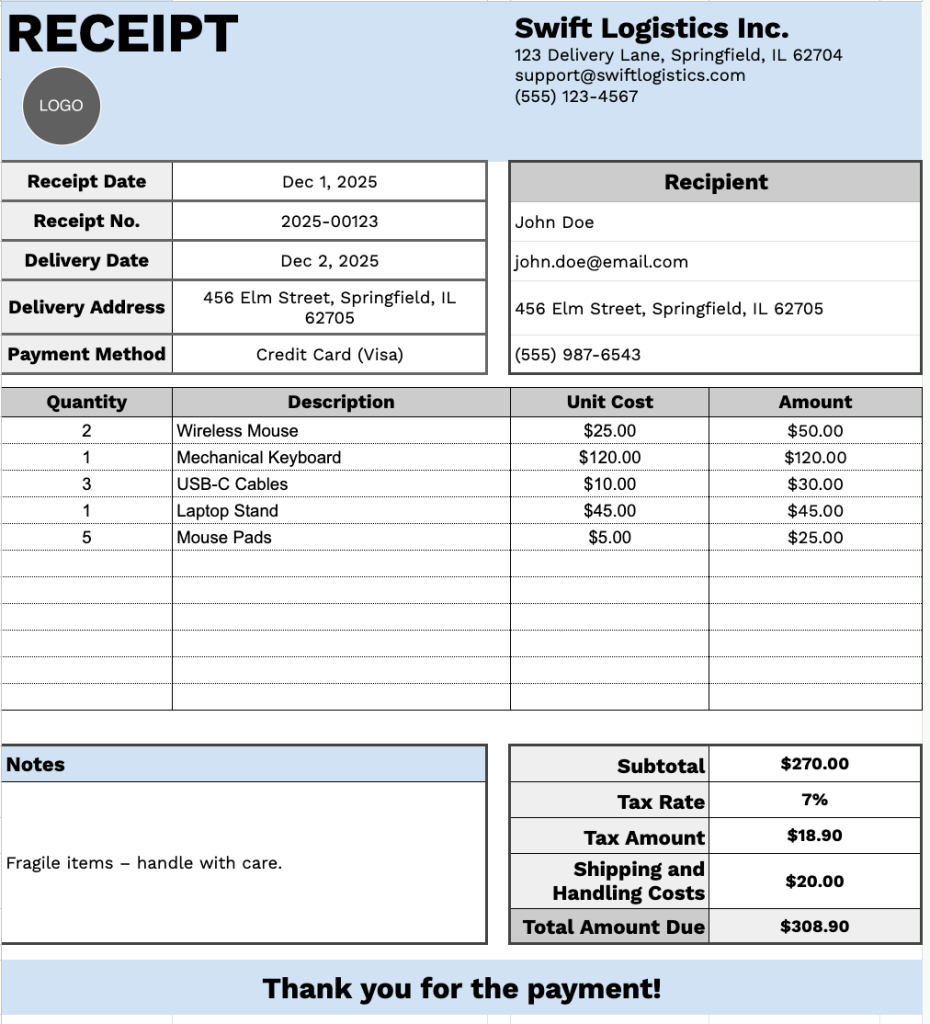
Our Delivery Receipt Template provides a comprehensive format for documenting product deliveries and associated costs.
What’s included
- Customizable business information fields: The header section includes editable placeholders for company name, email address, physical address, and phone number, allowing you to quickly brand the receipt with your business details for professional documentation.
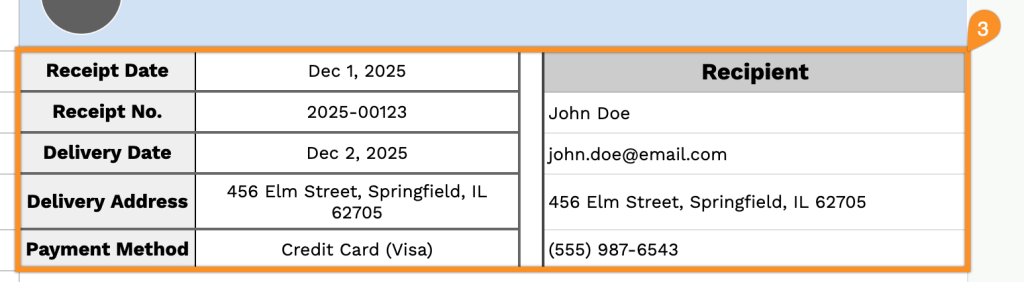
- Comprehensive recipient tracking section: Dedicated fields capture essential delivery information, including recipient name, email, phone number, physical delivery address, payment method, receipt number, receipt date, and delivery date for complete record-keeping and traceability.
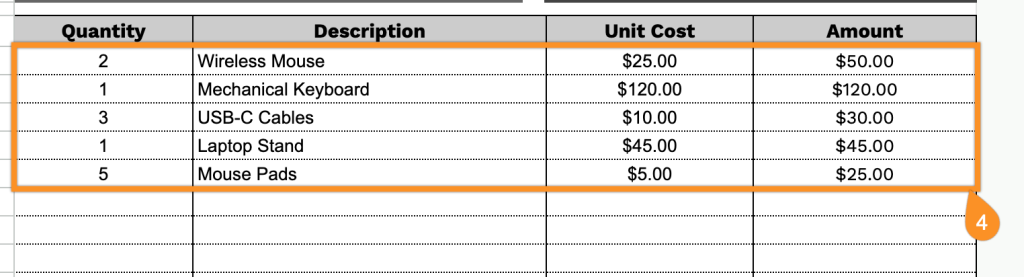
- Multi-line itemized product table: A structured table with pre-formatted rows and four columns (Quantity, Description, Unit Cost, and Amount) enables a detailed listing of all delivered items with their corresponding pricing, providing clear line-item documentation for each transaction.
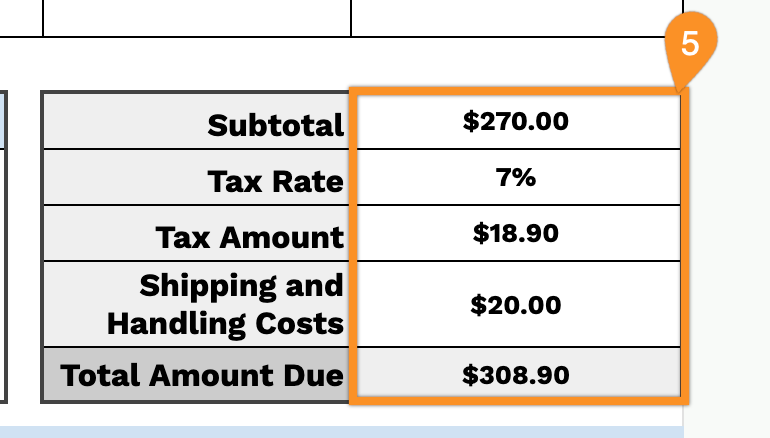
- Automatic financial calculation section: The footer includes pre-formatted fields for subtotal, customizable tax rate percentage, calculated tax amount, shipping and handling costs, and total amount due, ensuring accurate financial breakdowns without manual calculations.
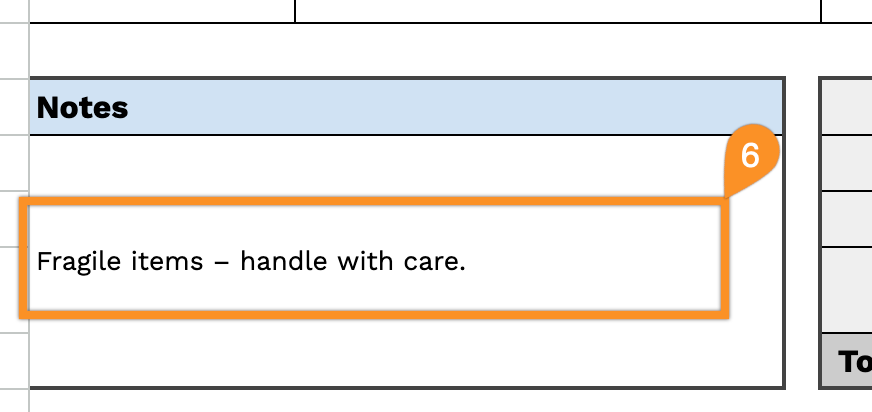
- Flexible notes area and professional closing: A dedicated notes section lets you add special delivery instructions, terms and conditions, or custom messages, complemented by a courteous “Thank you for the payment!” closing statement to maintain professional communication with recipients.
You can customize it by adding or removing columns to match your specific business requirements.
Download a free blank delivery receipt template in your preferred format using the links below:
How to Use Our Delivery Receipt Template
1. Get this delivery receipt template for Excel, Word, or PDF, or make your own version in Google Sheets or Docs.
2. Include your company name, email, address, phone number, and logo at the top of the template.

3. Fill in the recipient’s name, receipt info, receipt number, delivery date, delivery address, and payment method.
4. For each item delivered, enter the quantity and price. The template will automatically calculate the line totals.
5. Enter the applicable tax rate and shipping fee. The template will automatically calculate the subtotal, tax amount, and total amount due.
6. Use the Notes section to add any essential details related to the delivery.