Save time creating a leave-tracking spreadsheet from scratch with our free FMLA Tracking Template.
Available in Google Sheets, Excel, and PDF, it’s easy to customize and helps you keep employee FMLA leave dates, hours, and usage organized in one convenient place.
What Is an FMLA Tracking Template?
An FMLA (Family and Medical Leave Act) tracking template is a structured document or spreadsheet used by HR professionals and managers to monitor and manage employee leave taken under the FMLA, which entitles eligible employees to up to 12 weeks of unpaid, job-protected leave per year.
By centralizing this data, the tracker helps organizations avoid legal risks, maintain accurate records, and streamline communication between HR, payroll, and management throughout the leave process.
Download Spreadsheet Daddy’s Free FMLA Tracking Template
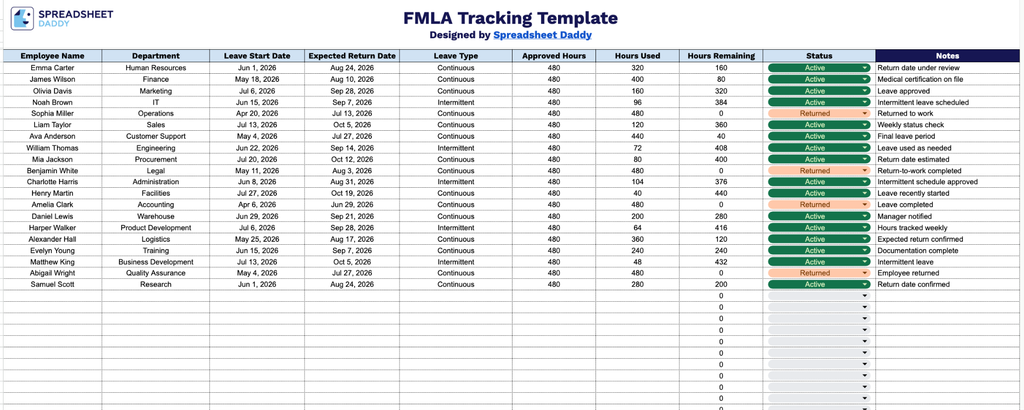
Our FMLA Tracking Template gives you a clear, organized way to monitor employee leave, from start and return dates to hours used and remaining.
Add or remove columns to match exactly what your team needs to track.
What’s included
- Comprehensive employee leave-tracking columns: The template includes dedicated fields for Employee Name, Department, Leave Start Date, and Expected Return Date, providing a clear, organized record of who is on leave and when they’re expected to return.
- Leave type and hours breakdown: Columns for Leave Type, Approved Hours, Hours Used, and Hours Remaining let you document the nature of each leave and monitor entitlement usage at a glance, with Hours Remaining auto-calculating as data is entered so balances stay accurate without manual math.
- Status and notes fields for context: A Status column allows you to flag where each case stands (e.g., Active, Pending, Completed), while the adjoining Notes column provides space to record additional details, accommodations, or follow-up items specific to each employee’s leave.
Pick the file format you prefer from the options below and download your free FMLA Tracking Template:
How to Use Our FMLA Tracking Template
1. Get your FMLA Tracking template in Excel or PDF, or make your own editable version directly in Google Sheets.
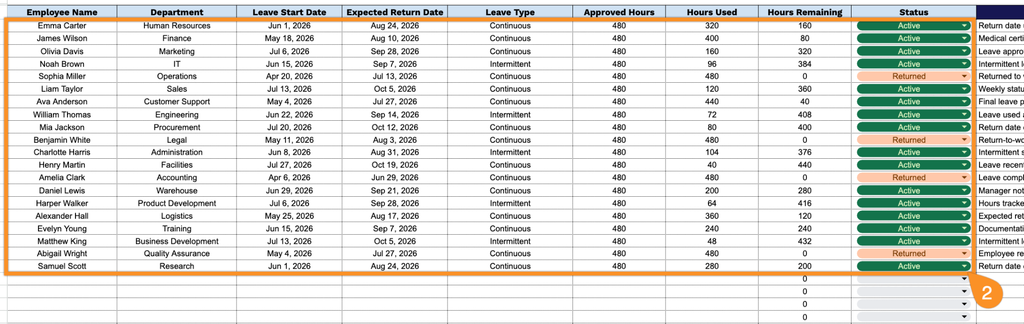
2. Enter key employee and leave details, including the employee’s name, department, leave start date, expected return date, leave type, approved hours, and hours already used. The FMLA Tracking template automatically calculates the remaining leave hours, making it easy to monitor each employee’s leave balance.
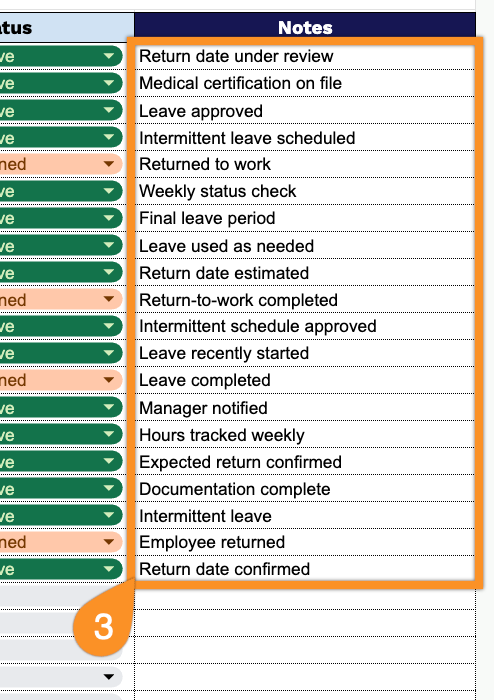
3. Use the Notes section to record important information, such as schedule changes, extensions, additional leave details, or other relevant comments.