Looking for an easy way to organize property turnover tasks?
Our free Make-Ready Checklist Template is available in Google Sheets, Excel, and PDF formats.
Customize it to track cleaning, maintenance, repairs, inspections, and other essential tasks before a unit is ready for a new tenant.
What Is a Make-Ready Checklist Template?
A make-ready checklist template is a standardized document used primarily in property management to ensure a rental unit is fully prepared and move-in ready before a new tenant takes occupancy.
By using a template, property managers can maintain consistency across multiple units, streamline the turnover process, and document the property’s condition for accountability and legal protection.
Download Spreadsheet Daddy’s Free Make-Ready Checklist Template
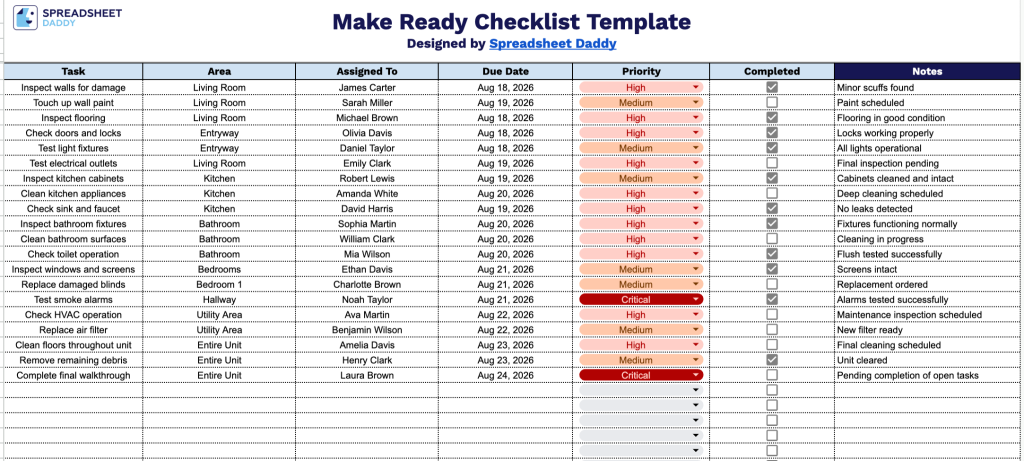
Our Make-Ready Checklist Template helps you track unit turnover tasks by area, assigned team member, due date, priority, and completion status, so nothing gets missed between move-out and move-in.
What’s included
- Structured task-tracking columns: The sheet includes seven dedicated columns: Task, Area, Assigned To, Due Date, Priority, and Completed, giving you a complete framework to log every make-ready item, note where it’s located on the property, assign ownership, and set a deadline for turnover.
- Built-in checkbox completion tracking: The Completed column features clickable checkboxes for each row, letting you mark items off in real time as work is finished so you can see turnover progress at a glance without needing to type “done” or “yes” manually.
- Priority field for task management: The Priority column allows you to flag which make-ready items are most urgent, helping your team focus on the tasks that need to be completed first to get the unit turnover-ready faster.
- Assigned To field for accountability: A dedicated column lets you designate exactly who on your team or which vendor is responsible for each task, making it clear who to follow up with if an item is running behind schedule.
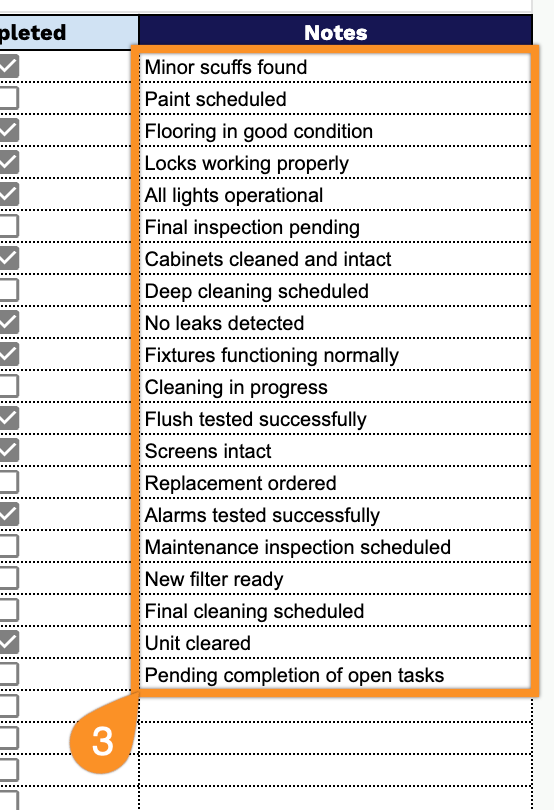
- Dedicated Notes field for detailed context: A Notes column provides space to record specifics like vendor names, parts ordered, inspection results, or follow-up actions for each task, so important details aren’t lost between the checklist and your team’s communication.
Add or remove columns as needed to fit your own workflow.
Pick your preferred format from the options below and download the blank Make-Ready Checklist template for easy customization:
How to Use Our Make-Ready Checklist Template
1. Get the Make-Ready Checklist as an Excel or PDF file, or make your own editable copy in Google Sheets.
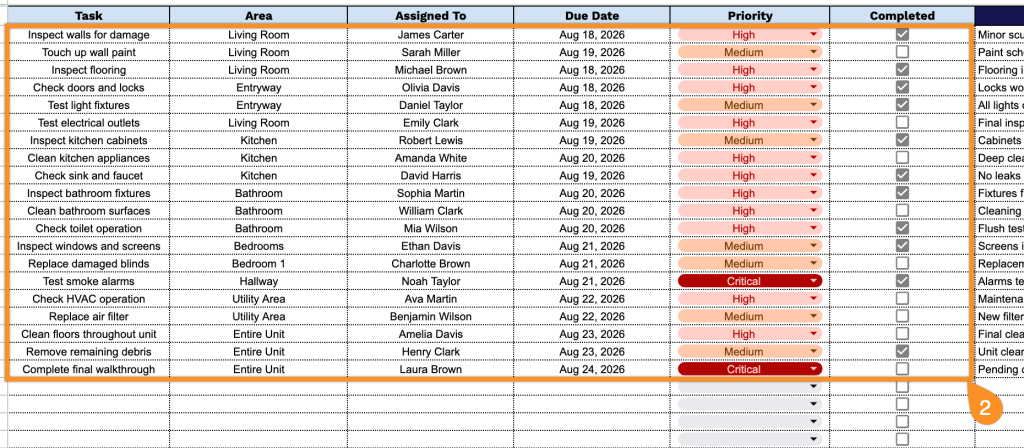
2. Enter each make-ready task along with the area, assigned team member, due date, and priority. Once a task is finished, simply check it off to keep track of completed work.
3. Use the Notes section to add special instructions, document issues that require attention, or provide additional details about the property’s make-ready status.