Running a motel? Save time with our free motel receipt template.
Available in Google Sheets, Excel, Word, Google Docs, and PDF, it’s fully editable and perfect for recording guest stays, room rates, and extras.
Browse our collection of free receipt templates for more simple solutions to keep your records organized.
What Is a Motel Receipt Template?
A motel receipt template is a pre-formatted document used by motels and lodging establishments to provide guests with proof of payment for their stay.
This standardized template streamlines the billing process and ensures guests receive clear, professional documentation of their accommodation expenses for personal records or business reimbursement purposes.
Download Spreadsheet Daddy’s Free Motel Receipt Template
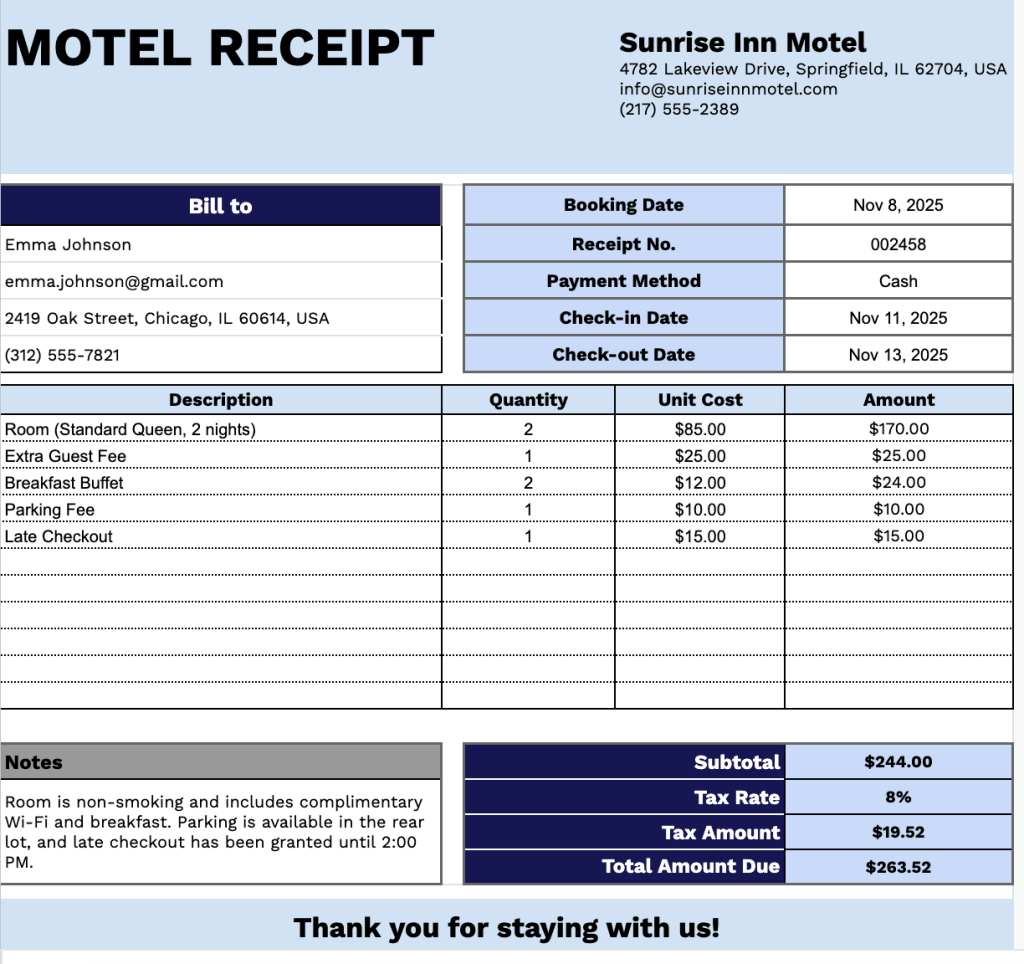
Our Motel Receipt Template provides a clean and professional format for documenting guest stays and associated charges.
What’s included
- Customizable motel information fields: The header section includes editable placeholders for motel name, email address, physical address, and phone number, allowing you to quickly brand the receipt with your property details for professional guest documentation.
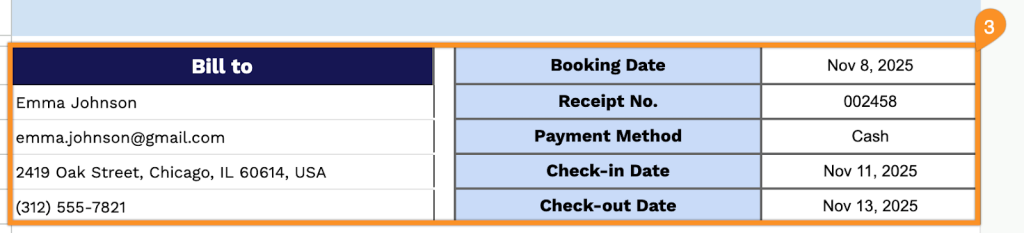
- Comprehensive guest and booking details: The template features dual-column information blocks: guest billing information (name, email, address, phone number) on the left, and key booking details (booking date, receipt number, payment method, check-in date, check-out date) on the right, for complete reservation tracking.
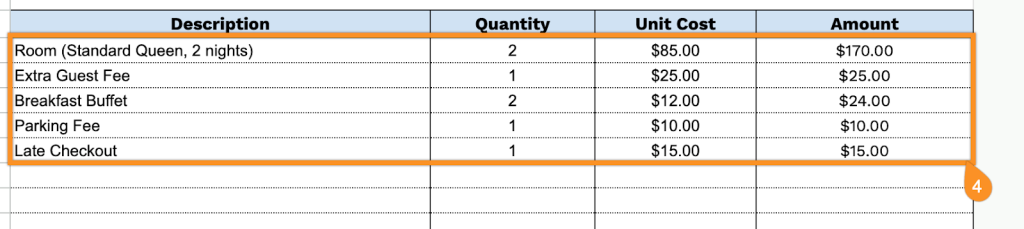
- Itemized charges table: A structured four-column table (Description, Quantity, Unit Cost, Amount) provides 11 rows for listing room charges, additional services, amenities, parking fees, meals, and any other guest expenses, with precise quantity and pricing breakdowns.
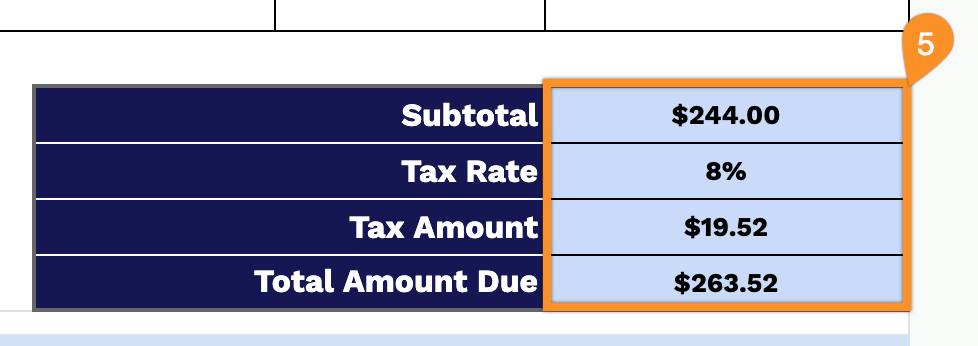
- Automated financial calculations section: The bottom-right summary includes fields for subtotal, customizable tax rate percentage, tax amount calculation, and total amount due, ensuring accurate billing and transparent cost breakdown for guests.
- Professional notes and closing message: A dedicated notes field allows you to add payment terms, special instructions, or guest messages, complemented by a courteous “Thank you for staying with us!” closing statement for a polished, hospitality-focused presentation.
The customizable layout lets you add or remove columns to match your specific business needs, making it adaptable to various types of accommodations and services.
Grab your free blank motel receipt template in the format that works best for you from the links below:
How to Use Our Motel Receipt Template
1. Grab this motel receipt template in Excel, Word, or PDF, or create a personal copy using Google Sheets or Docs.
2. Enter your motel’s details at the top, including the name, email, address, phone number, and logo.

3. Fill in the guest information under “Bill To,” along with the booking date, receipt number, payment method, check-in date, and check-out date.
4. List the services or items provided, specifying the quantity and price for each. The receipt will automatically calculate the line totals.
5. Apply the appropriate tax rate. The template will automatically calculate the subtotal, tax amount, and total amount due.
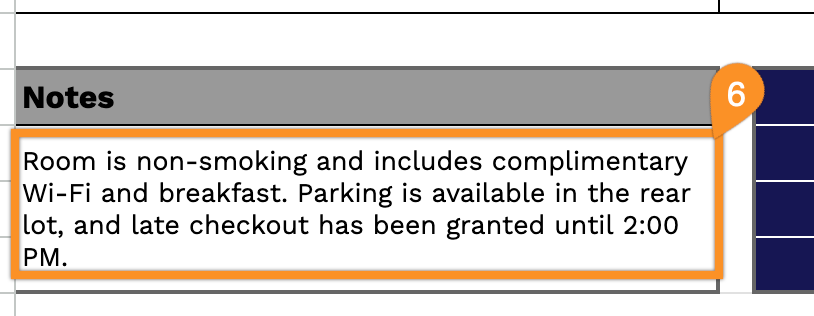
6. Use the Notes section to include any special instructions, additional charges, or other vital details.