Whether you’re managing a sales process or a collaborative project, our free Mutual Action Plan Template provides a structured framework for tracking responsibilities, deadlines, and milestones.
Download it in Google Sheets, Excel, or PDF.
What Is a Mutual Action Plan Template?
A Mutual Action Plan template is a shared, structured document used between a seller and a prospective customer to align on the steps, timelines, and responsibilities needed to reach a deal or project goal.
By making the path to closure transparent and mutually agreed upon, a MAP template helps reduce friction in the sales process, build trust between stakeholders, and increase the likelihood of a successful outcome.
Download Spreadsheet Daddy’s Free Mutual Action Plan Template
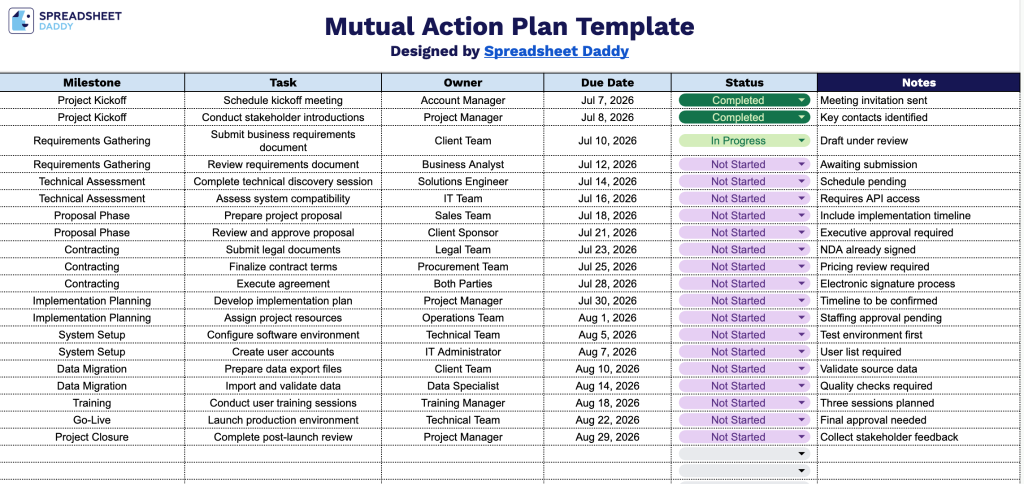
Our Mutual Action Plan Template helps you and your client stay aligned on every step of a deal or project, from kickoff through go-live.
What’s included
- Clean, structured column layout: The sheet is organized into six clearly labeled columns, including Milestone, Task, Owner, Due Date, Status, and Notes, giving you a logical flow from high-level goals down to the specific tasks, responsible parties, and deadlines needed to achieve them.
- Milestone and task hierarchy: The template lets you group related tasks under broader milestones, making it easy to break a larger initiative or sales process into smaller, trackable action items for you and your customer or partner.
- Owner and Due Date fields for accountability: Dedicated columns let you assign each task to a specific owner (an internal team member or an external stakeholder) and attach a due date, keeping both sides of the partnership aligned on who is responsible for what and by when.
You can add or remove columns to match the exact stages and checkpoints your project requires.
Choose from the formats below to download a free, editable Mutual Action Plan template:
How to Use Our Mutual Action Plan Template
1. Grab the Mutual Action Plan template in Excel or PDF, or duplicate it into Google Sheets for easy editing.
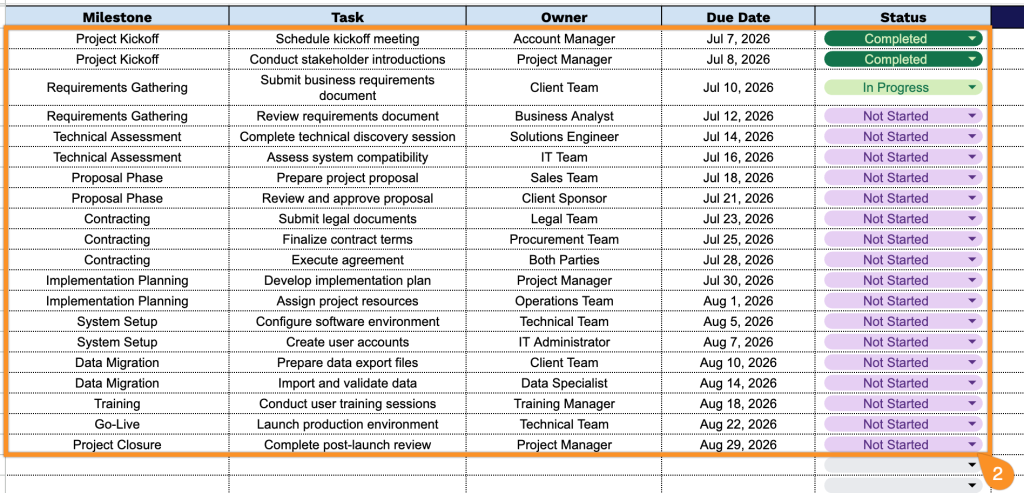
2. Record every milestone, assign responsibilities, set deadlines, and monitor progress using the status field.
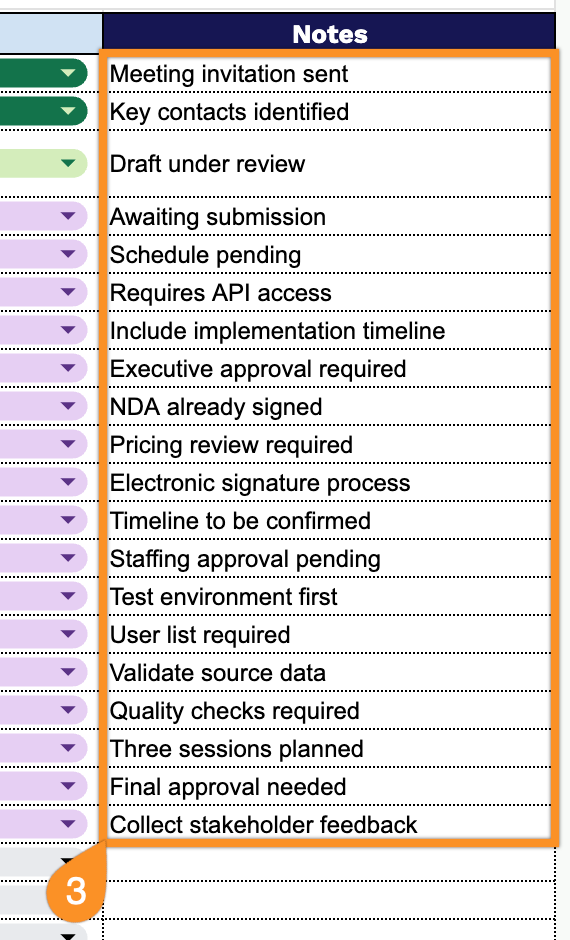
3. Use the Notes section to document additional context, blockers, risks, follow-up actions, or special instructions that both parties should be aware of.