Organize audit documentation efficiently with our free PBC List Template.
Available in Google Sheets, Excel, and PDF formats, it’s fully customizable and designed to help you manage requested files, due dates, and completion status.
What Is a PBC List Template?
A PBC (Prepared by Client) list template is a structured document used primarily in auditing and accounting engagements, where auditors request specific documents, records, and information from their clients in preparation for an audit or financial review.
By using a standardized template, both the client and the auditor can track the status of each requested item, improve communication, reduce delays, and ensure the engagement runs smoothly and efficiently.
Download Spreadsheet Daddy’s Free PBC List Template
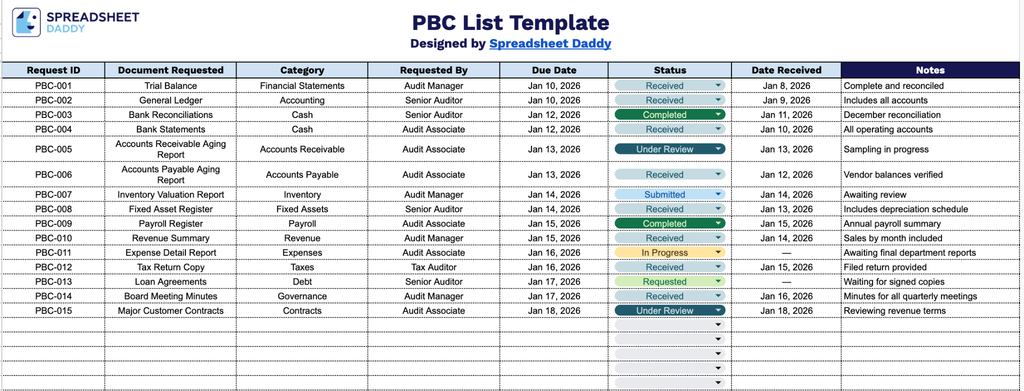
Our PBC List Template helps audit teams track client document requests in one organized place.
What’s included
- Comprehensive request tracking columns: The template includes seven key fields: Request ID, Document Requested, Category, Requested By, Due Date, Status, and Date Received, giving you everything you need to log, assign, and monitor each item requested from a client throughout an audit, review, or engagement.
- Unique request identification: The Request ID column lets you assign a unique number or code to each item on the list, making it easy to reference specific requests in emails, meetings, or follow-up communications without confusion.
- Categorization for better organization: The Category column lets you group requests by type (e.g., Financial Statements, Contracts, HR Records), so you can quickly filter or sort the list to focus on a specific area of the engagement.
- Accountability and ownership fields: The Requested By column identifies who on your team made the request, helping maintain accountability and giving clients a clear point of contact for questions about a specific item.
- Built-in status and notes tracking: The Status column lets you flag each item as outstanding, received, or under review, while the accompanying Notes field provides space to record clarifications, client responses, or reasons for delay.
You can easily add or remove columns to match your specific workflow needs.
Pick your preferred file format and download the free PBC List template:
How to Use Our PBC List Template
1. Choose your preferred PBC List template format by downloading it as an Excel or PDF file, or copying it to Google Sheets.
2. Add each PBC request by recording the request ID, document name or description, category, person responsible for providing it, due date, current status, and the date the document was received.
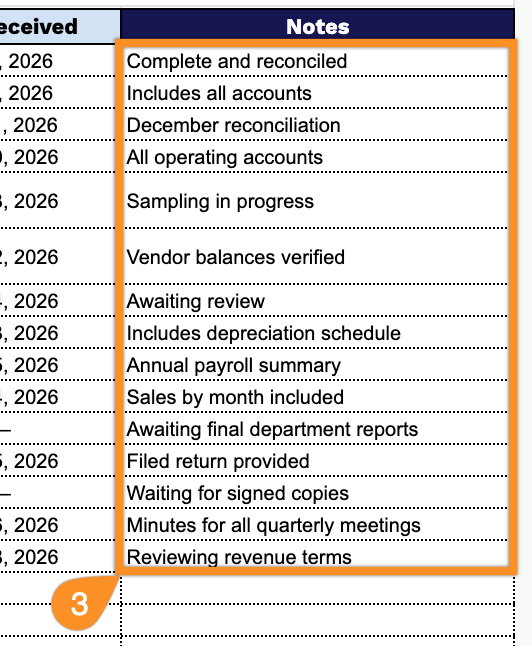
3. Use the Notes section to record special requirements, production instructions, dependencies, or any additional information related to each checklist item.