Make time management simple with our professionally formatted Time Tracking Template.
Download it in Google Sheets, Excel, or PDF to quickly log hours, tasks, and notes.
What Is a Time Tracking Template?
A time-tracking template is a pre-formatted document or digital tool designed to help individuals and businesses systematically record how time is spent on tasks, projects, or activities.
These templates streamline the process of logging work hours and provide a consistent format for analyzing time allocation and improving efficiency.
Download Spreadsheet Daddy’s Free Time Tracking Template
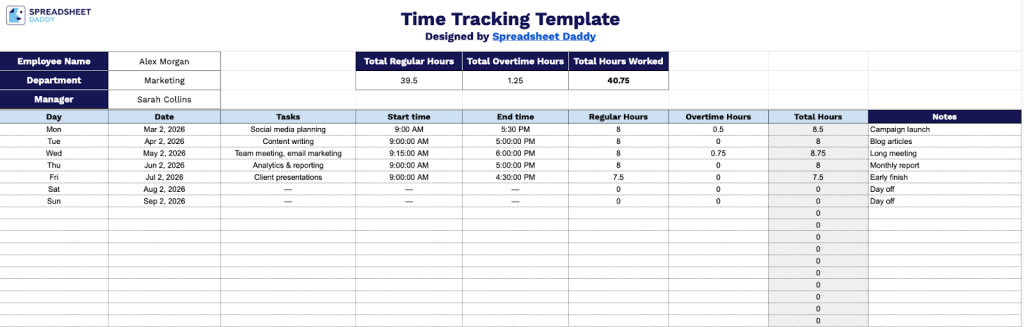
Our Time Tracking Template helps you monitor employee work hours, tasks, and schedules in an organized format.
What’s included
- Comprehensive employee and project header: The top section captures essential tracking information, including employee name, department, and manager fields, along with automatic totals for regular hours, overtime hours, and total hours worked, providing at-a-glance visibility into time allocation.
- Detailed daily time entry rows: Multiple rows allow you to log individual work entries with fields for day, date, tasks, start time, end time, regular hours, overtime hours, total hours, and notes, enabling granular tracking of how time is spent across different activities and projects throughout the pay period.
- Automatic hour calculation system: The template includes built-in formulas that automatically calculate total regular hours, total overtime hours, and total hours worked from your start and end time entries, eliminating manual math and reducing time reporting errors.
- Flexible task documentation: Each entry row includes a dedicated tasks field and a notes column, allowing employees to describe the specific work performed and add context or comments to their time entries for better project tracking and billing accuracy.
Customize it by adding or removing columns to match your specific tracking needs.
Pick your preferred format and download a blank Time Tracking template at no cost from the links provided:
How to Use Our Time Tracking Template
1. Download the template in either Excel or PDF, or copy it to your Google Sheets.
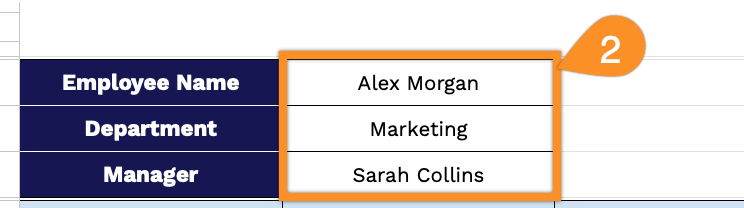
2. Enter the employee’s name, department, and manager.
3. Complete the columns by entering all essential timesheet information for accurate record-keeping:
- Day: Enter the day of the week when the work was performed.
- Date: Record the specific calendar date for each work entry.
- Tasks: Describe the activities or assignments completed during this time period.
- Start Time: Specify when each task or shift began.
- End Time: Indicate when each task or shift concluded.
- Regular Hours: Enter the number of standard working hours completed.
- Overtime Hours: Record any hours worked beyond the regular schedule.
- Total Hours: This field calculates automatically by combining regular and overtime hours.

4. The template will automatically calculate Total Regular Hours, Total Overtime Hours, and Total Hours Worked as you fill in your daily entries.

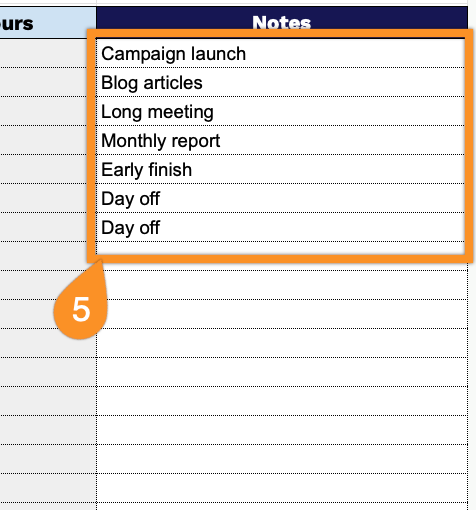
5. Use the Notes column to record any special circumstances, delays, unexpected tasks, or reminders for tasks that need follow-up.