Need a ready-to-use solution for audits without starting from scratch?
Download our free Audit Template, available in Google Sheets, Excel, and PDF.
Professionally formatted and easy to edit, it helps you stay organized and keep your audit process efficient and accurate.
What Is an Audit Template?
An audit template is a standardized document or framework that provides a structured format for conducting audits consistently and efficiently.
By using templates, organizations can ensure thorough coverage of audit areas, maintain consistency across multiple audits, and streamline documentation.
Download Spreadsheet Daddy’s Free Audit Template
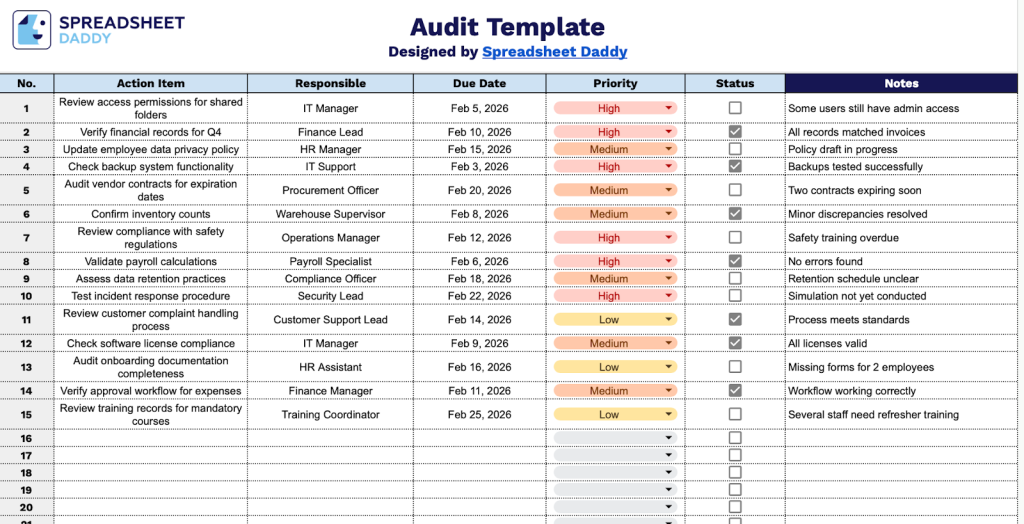
Our Audit Template helps you organize and track action items throughout your audit process.
What’s included
- Comprehensive action-tracking system: The template features 50 pre-numbered rows to capture and monitor audit findings, with dedicated columns for Action Item descriptions, Responsible party assignments, Due Date scheduling, Priority levels, completion Status tracking, and detailed Notes fields to document context, progress updates, or follow-up requirements.
- Structured column framework for accountability: Each audit entry includes six essential data fields that create a complete audit trail, including Action Item for describing the finding or task, Responsible to assign ownership, Due Date for timeline management, Priority to rank urgency, Status to track completion stages, and Notes for additional documentation or corrective action details.
- Interactive checkbox status tracking: The Status column features checkboxes for each audit item, allowing you to quickly mark tasks as complete with a simple click, providing instant visual feedback on audit progress and making it easy to identify outstanding action items at a glance during reviews or follow-up meetings.
Customize it by adding or removing columns to fit your specific auditing needs.
Choose your preferred format and download a free blank Audit Template from the links below:
How to Use Our Audit Template
1. Grab this template as an Excel or PDF document, or create a Google Sheets version for yourself.
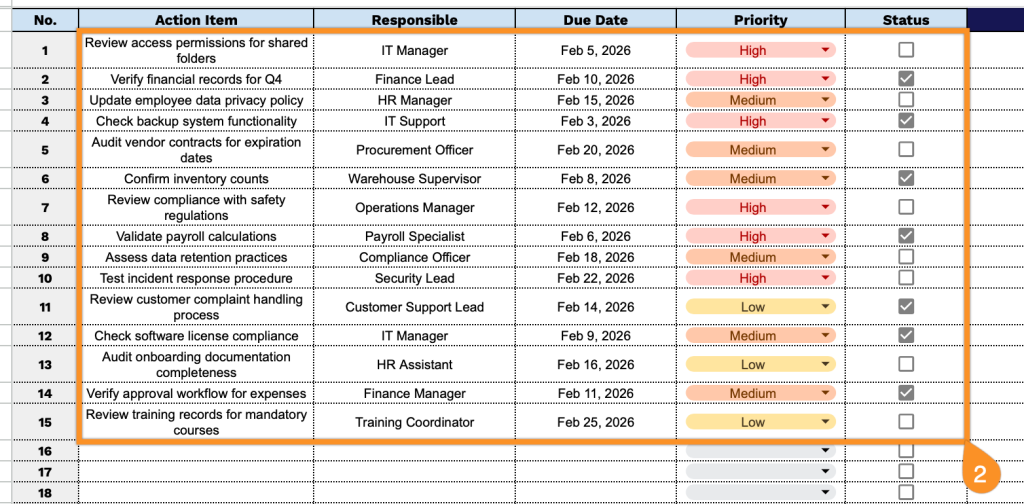
2. Complete the columns by documenting all necessary information for each audit item:
- Action Item: Enter a clear, specific description of the audit finding, recommendation, or task that needs to be addressed.
- Responsible: Assign the team member, department, or role accountable for completing this audit action.
- Due Date: Specify the deadline by which the action item must be completed or resolved.
- Priority: Indicate the urgency level (High, Medium, Low) to help prioritize audit tasks.
- Status: Use the checkbox to track completion progress and mark items as complete when finished.
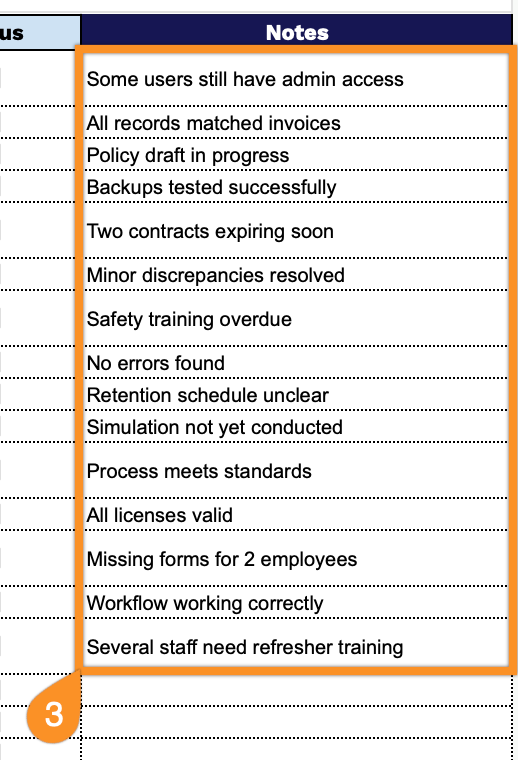
3. Use the Notes section to include any critical comments or additional information.