Avoid the hassle of creating a tracker yourself.
Our free Medical Expense Tracking Template is available in Google Sheets, Excel, and PDF formats, making it easy to accurately log healthcare expenses, insurance reimbursements, and medical payments.
What Is a Medical Expense Tracking Template?
A medical expense tracking template is a structured spreadsheet used to systematically record and organize healthcare-related costs, such as doctor visits, prescriptions, insurance premiums, copays, and hospital bills.
This tool is especially useful for budgeting purposes, preparing for tax season, and managing claims with insurance providers.
Download Spreadsheet Daddy’s Free Medical Expense Tracking Template
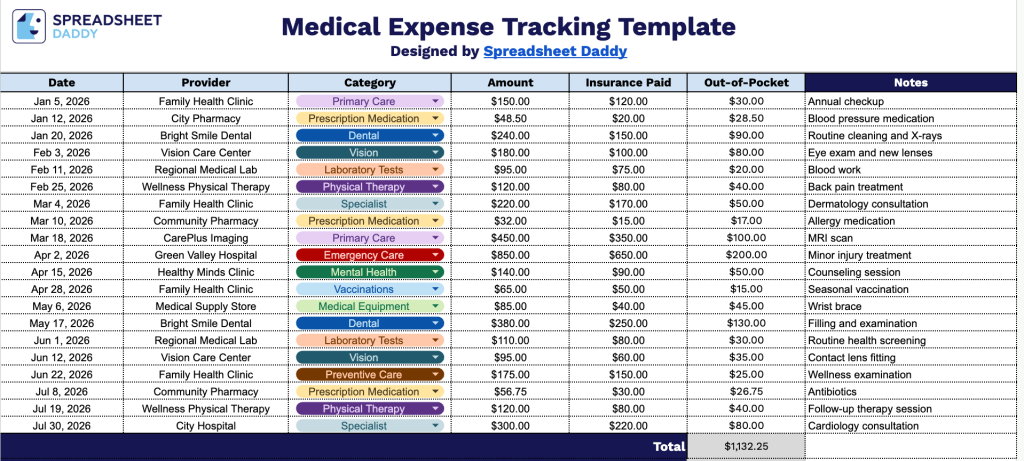
Our Medical Expense Tracking Template gives you a simple, organized way to track medical expenses over time.
What’s included
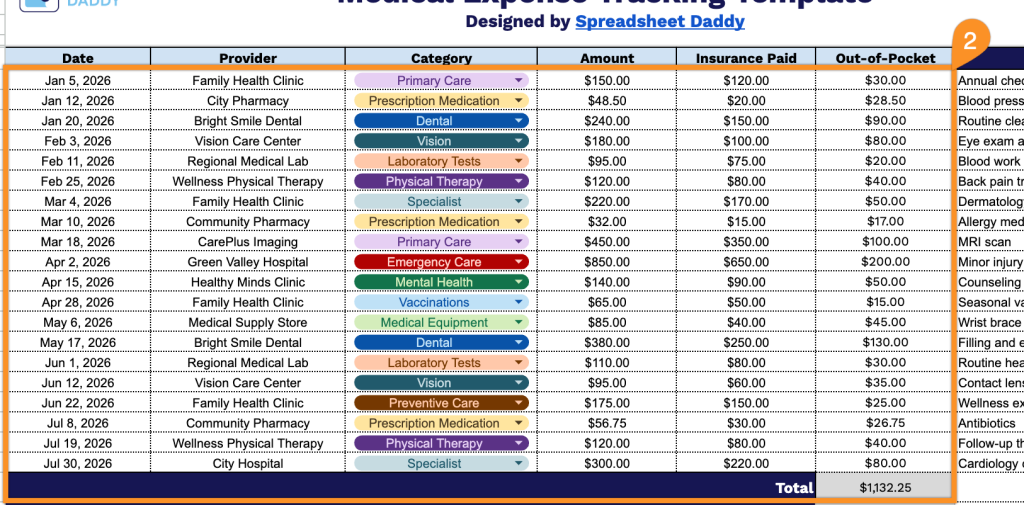
- Comprehensive expense logging columns: The main table includes dedicated fields for Date, Provider, Category, Amount, and Insurance Paid, giving you a structured way to record every medical visit, procedure, or purchase as it happens.
- Automatic out-of-pocket calculations: The Out-of-Pocket column is pre-built with formulas that instantly calculate the difference between the billed Amount and Insurance Paid, so you always know your true out-of-pocket cost without manual math.
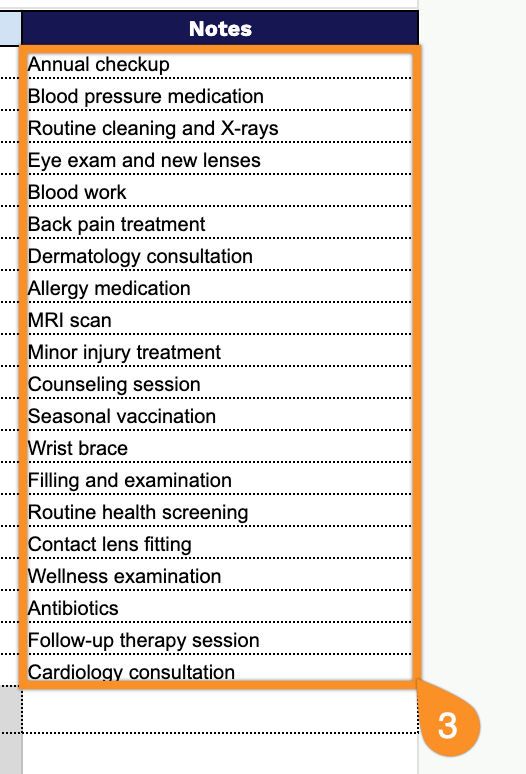
- Built-in notes field for context: A wide Notes column on the right lets you jot down extra details like appointment reasons, claim numbers, prescription names, or follow-up reminders alongside each expense entry.
You can add or remove columns to fit your specific tracking needs.
Use the links below to get your free Medical Expense Tracking template in Google Sheets, Excel, or PDF:
How to Use Our Medical Expense Tracking Template
1. Save this Medical Expense Tracking template as an Excel or PDF file, or duplicate it into your Google Sheets workspace.
2. Log each medical expense by adding the date, provider, category, total cost, and insurance contribution. Your remaining out-of-pocket cost and the total amount will be calculated automatically.
3. Use the Notes section to record important details, such as prescription numbers, claim statuses, follow-up appointments, or any additional information related to each expense.